Purpose:
Section titled “Purpose:”To provide instructions on how to add project costs to a recommendation once it is provided by DesignDesk, within vCIO Toolbox.
Scope:
Section titled “Scope:”This WI impacts the vCIO and vITM teams.
Responsibility:
Section titled “Responsibility:”vCIO
Completion Criteria:
Section titled “Completion Criteria:”Project cost has been successfully added to the client recommendation or initiative.
Records:
Section titled “Records:”A costed recommendation/initiative.
Steps:
Section titled “Steps:”1. Once a formal quote is received from designdesk, review scope of work and confirm it aligns with the recommendation it was requested for.
2. Within the clients’ recommendation tab in vCIO Toolbox, open the recommendation the quote has been requested for.
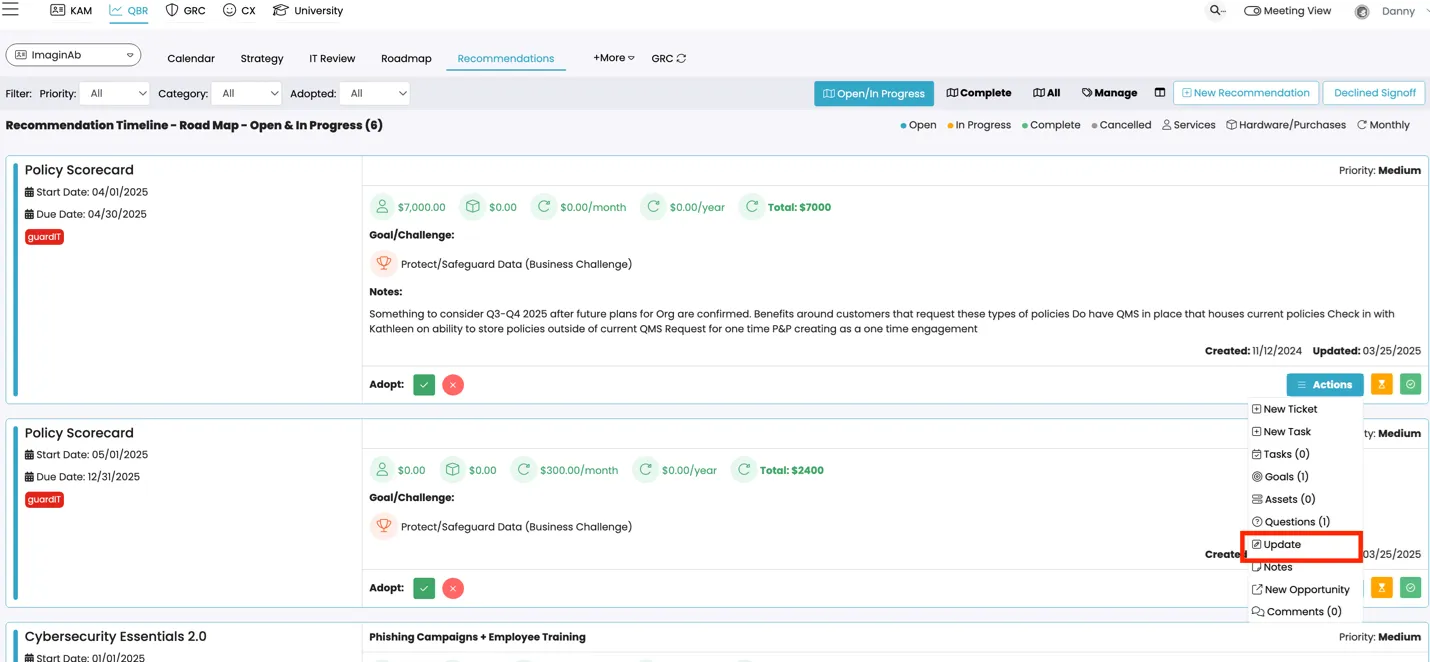
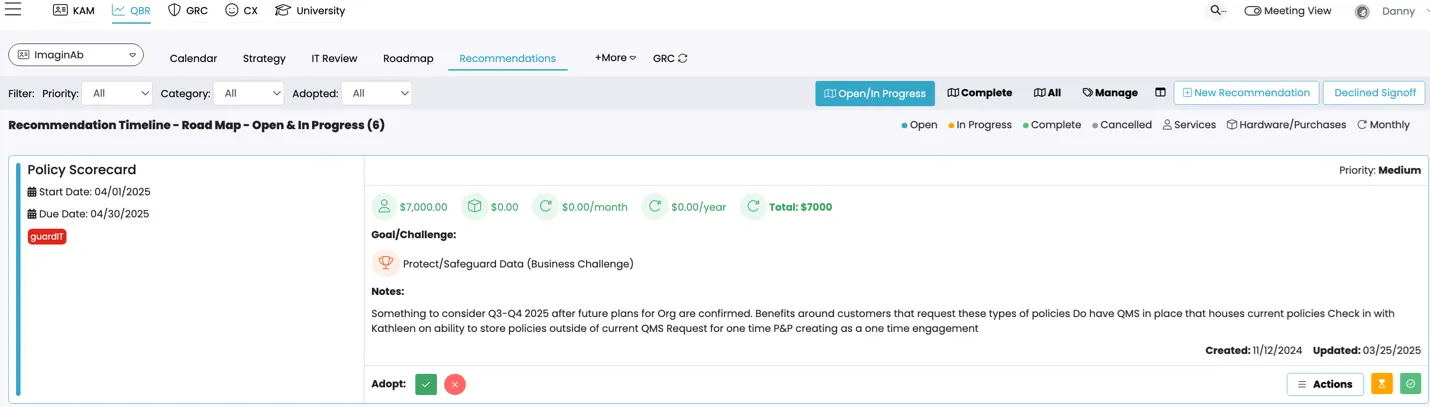 3. Under “Actions” click on “Update”
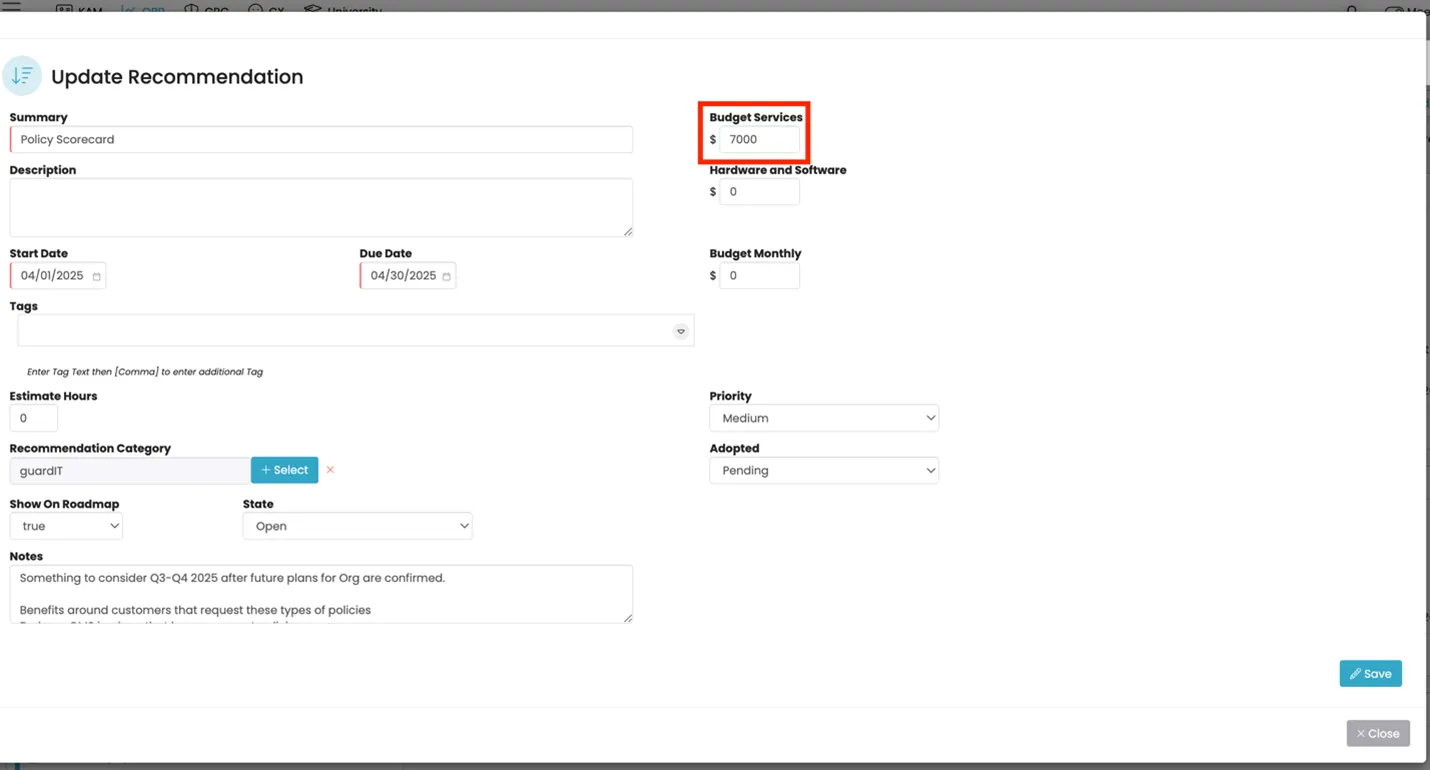
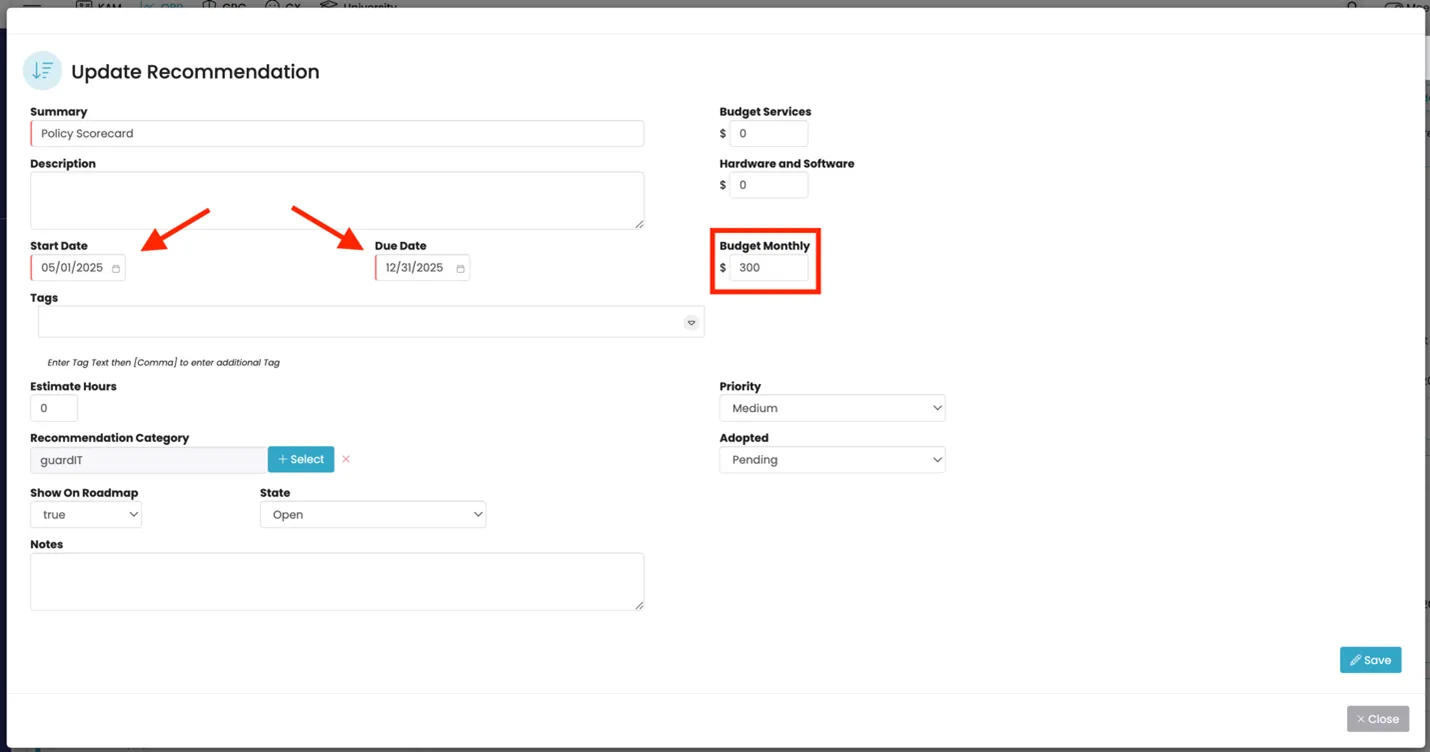
4. Update the On-time cost field and the month the project is scheduled to happen. This will then show it within the right month on the client “Forecast”.
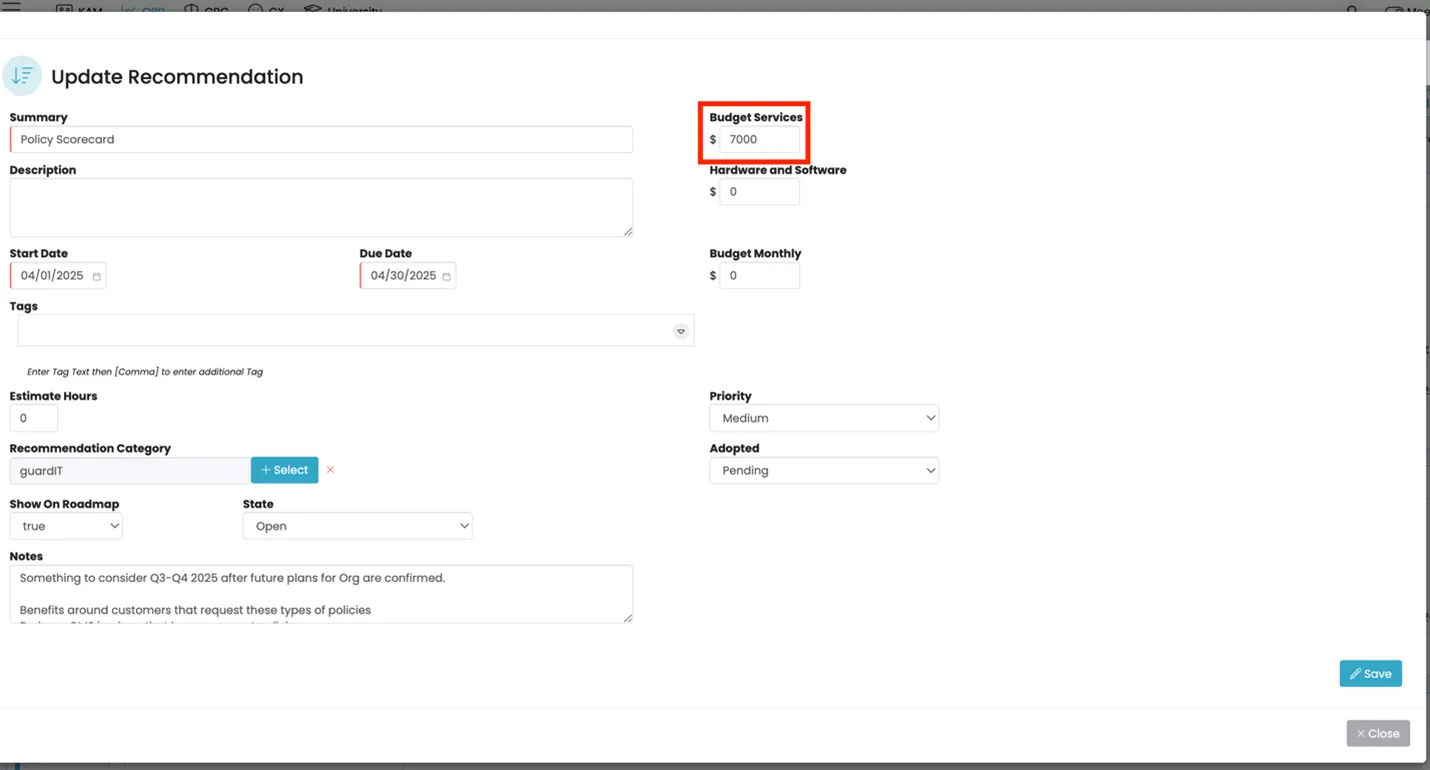
5. For Recommendations that have a reoccuring monthly cost, you will need to enter a separate recommendation with for the monthly reoccuring cost to ensure it reflects correctly within the forecast. 6. Enter the recommendation and start the cost the month after implementation until the end of the year.

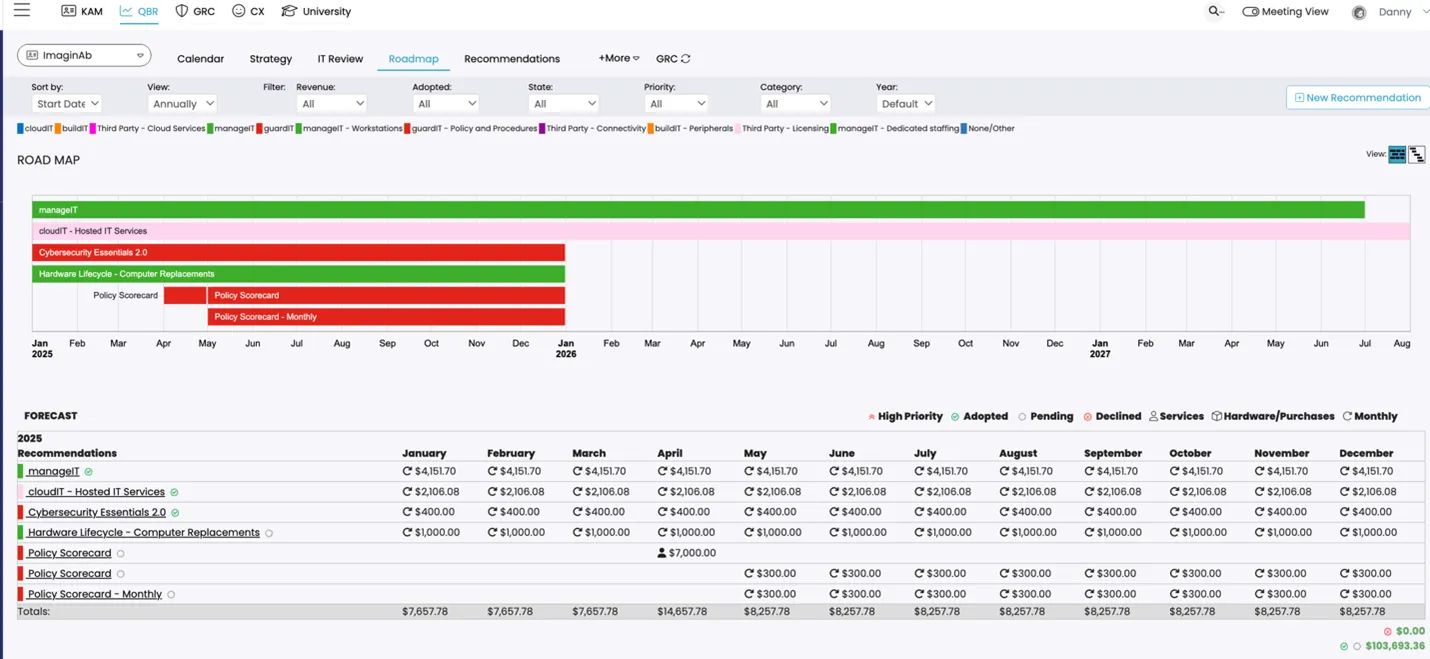
7. After all “Recommendations” are entered and updated with the right project costs, review the “Forecast” and confirm the timeline for each item.
8. Meet with the client to confirm the timeline, adjust as necessary as based on the client’s ability or desire to move forward with the recommendation.
Process References:
Section titled “Process References:”- Create a relationship back to related process. Note: Please add KB relationships to core process, process, SOPs or other WIs on the right.