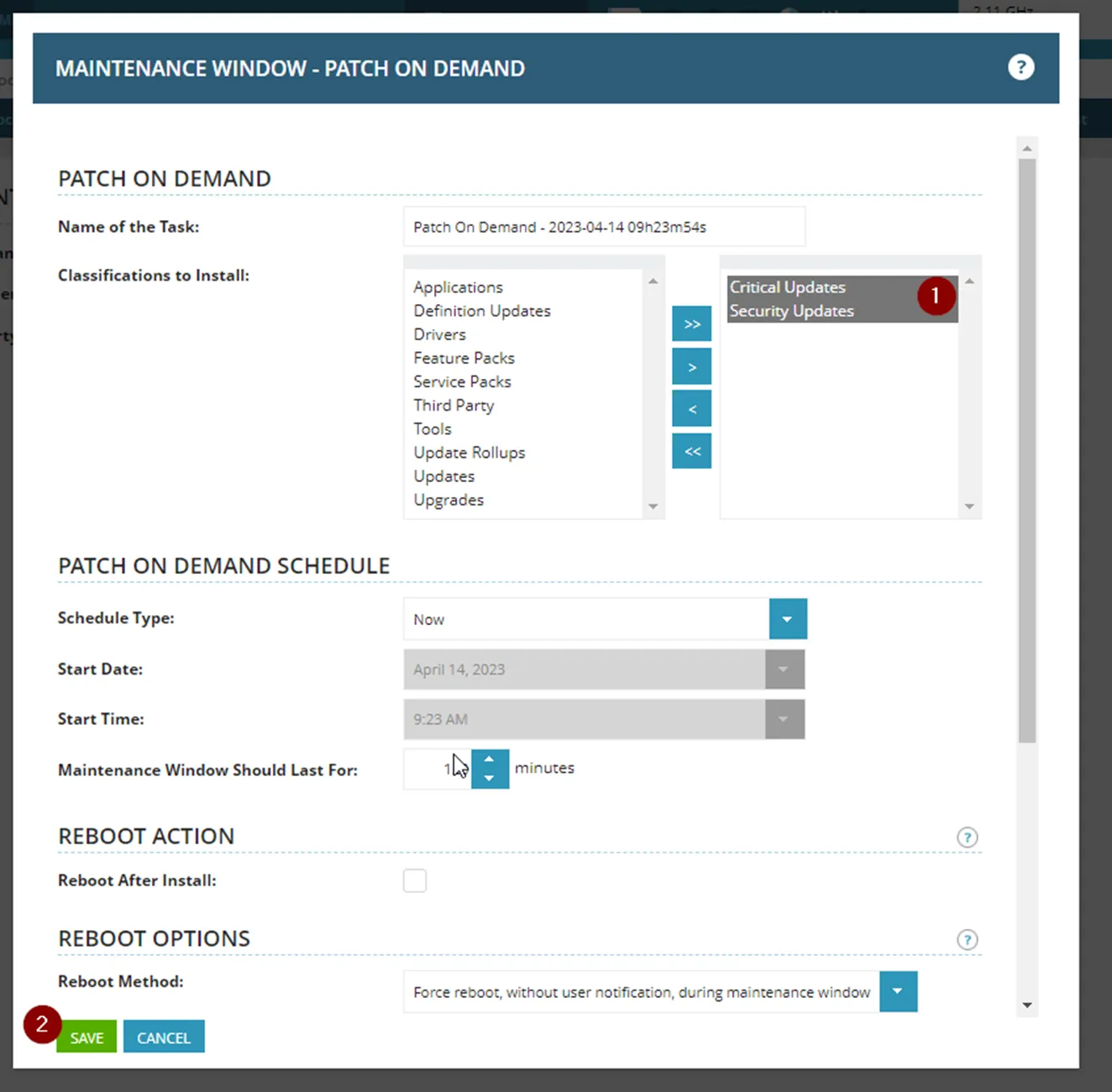
The purpose of this guide is to explain how to review devices that have missing updates, and to manually install the missing updates through an NCentral On-Demand installation.
Reviewing Devices Missing Patches
Section titled “Reviewing Devices Missing Patches”Navigate to the client space in NCentral > Expand Dashboards > Click on “Managed – Patch Status – Workstations-Laptops” > Filter for Failed
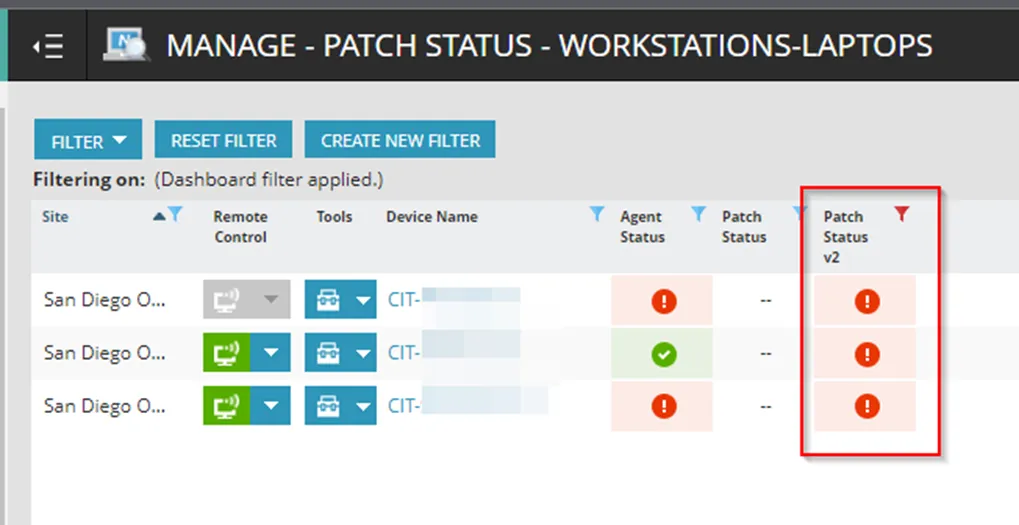
To investigate further, click on the reported device that failed. Once on the device page, navigate to Monitoring > Status > Patch Status v2. Here we can see that a High Priority Patch was not installed during the last installation. Click on the Red Button with the escalation mark.
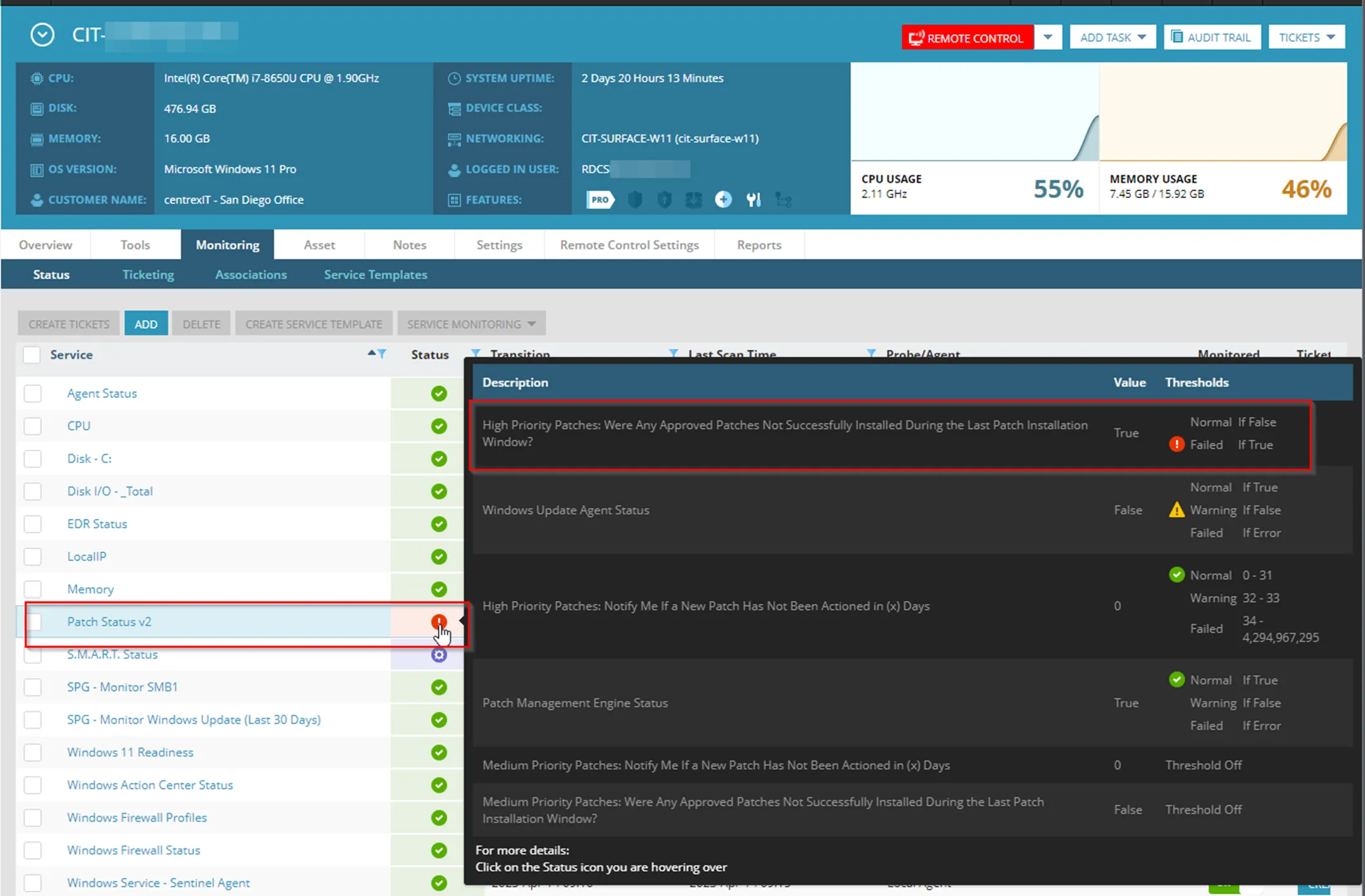
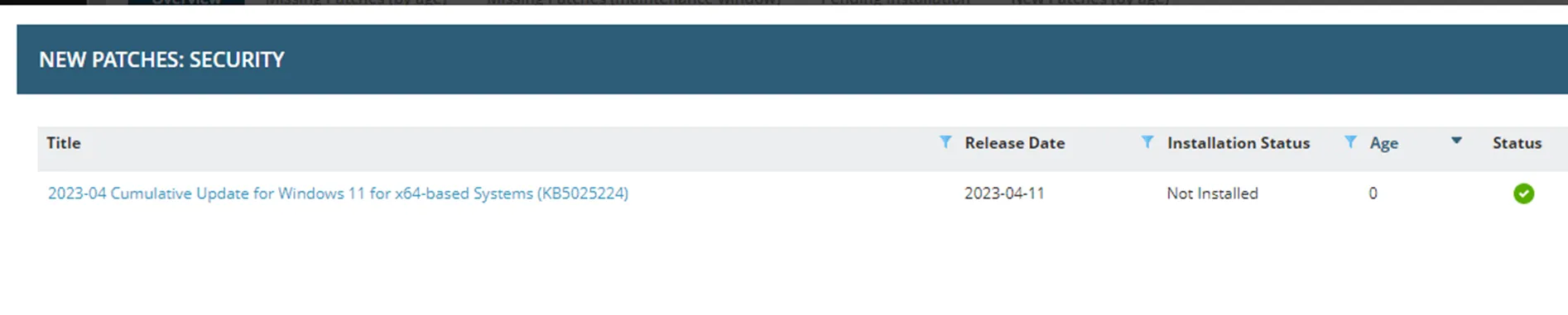
Here we can see list of patch(es) that are missing:
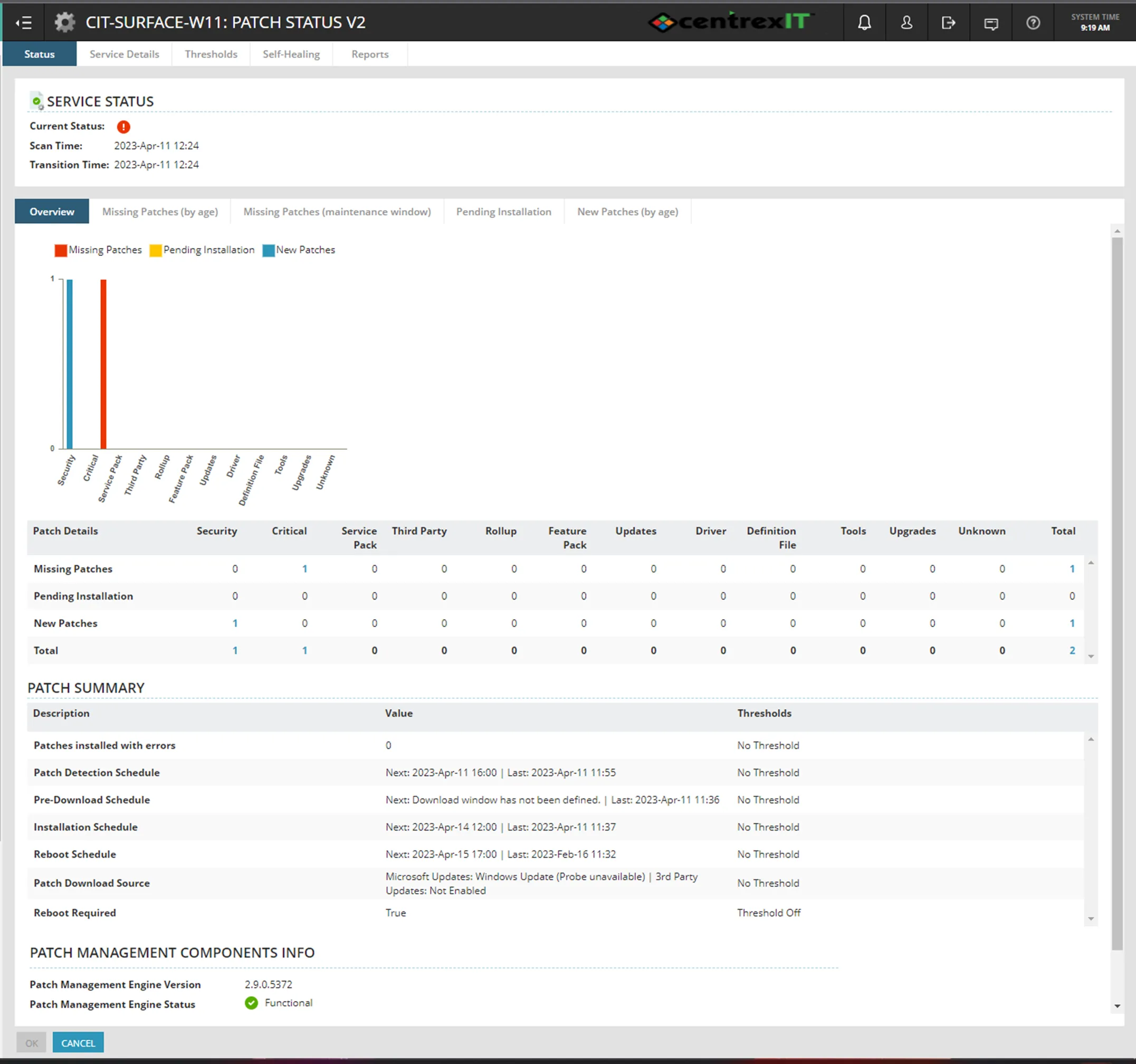
If you click on the number, in this case “1” missing Critical update, it will display the missing patch KB
Manually Installing Updates
Section titled “Manually Installing Updates”**Please note that higher level access might be needed on this. Please consult with Support III engineer, Leads and/or Bryan Bognot in NOC**
To manually install the patch right away, navigate to Add Task > Patch Management > Patch On Demand.
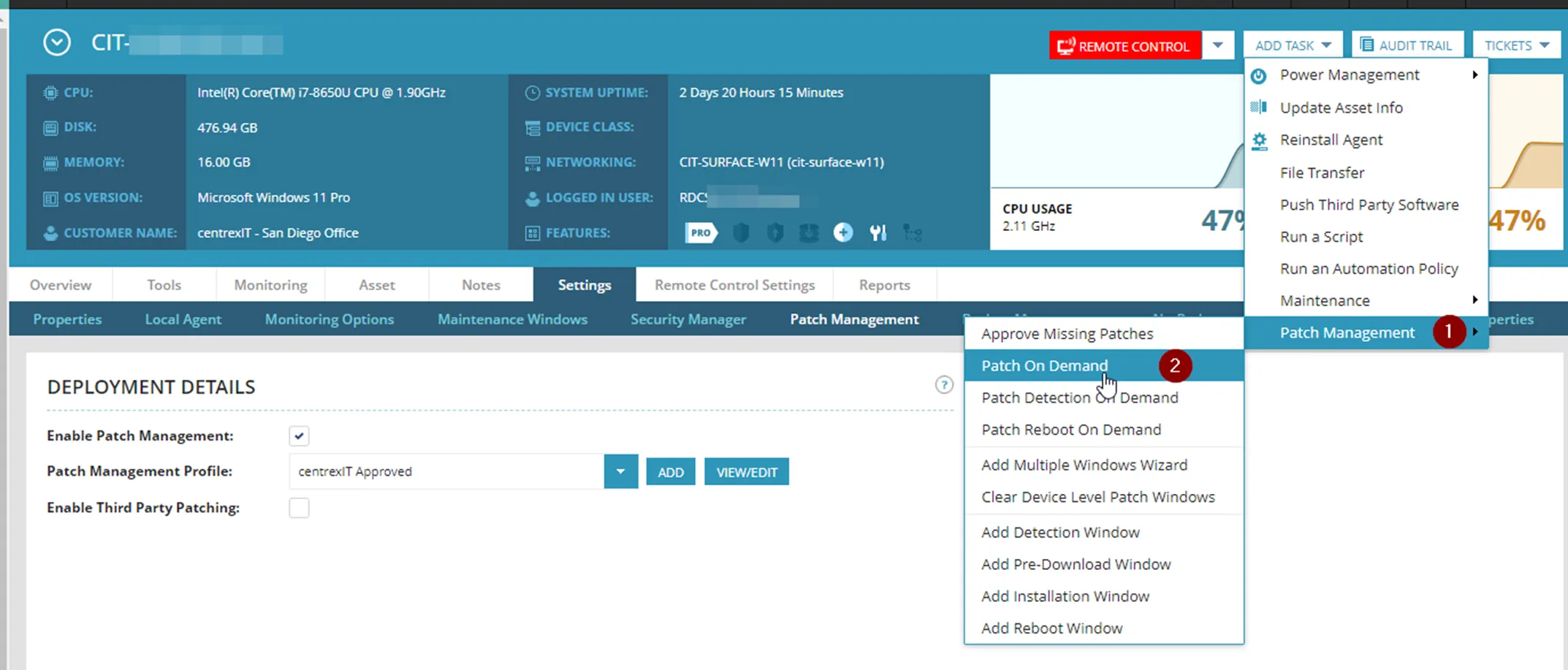
At the maintenance window wizard, add Critical Updates and Security Updates to the installation field. Set to schedule “Now” and then click Save.