Scheduling for Onsite Support
This WI will be used when scheduling an engineer for onsite support
Process
Once we have determined the need for an onsite, we will go to the “Schedule” section in the Pzzle ticket.
If a VITM has requested the on site - the template from KB00027349 should be completed prior to scheduling.

From here, we will create a new appointment and fill out the scheduling details. (Refer to below image)
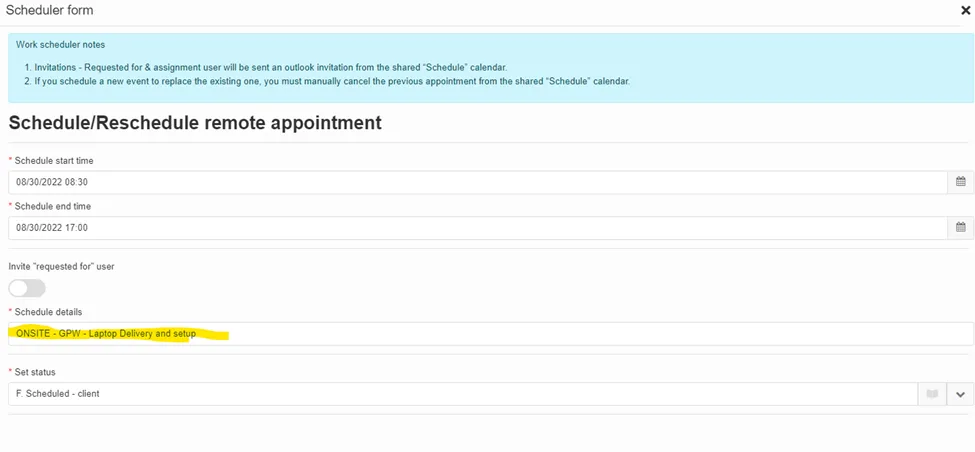
Here we will capture the appointment date, time and choose the correct ticket status.
You will always want to include “Invite “requested for” user so they also get an Outlook meeting invite for a reminder of the onsite.
Please note the *****Schedule Details and fill out with the below format
ONSITE – COMPANY – Scope of work
If equipment pick up is needed – the equipment must be picked up by the onsite engineer the day prior from HQ unless otherwise instructed by leadership.
Capturing the above scheduling details will ensure the onsite engineer has clear information to be successful onsite.