Unable to launch CCH Prosystem fx Engagement in RDS
Section titled “Unable to launch CCH Prosystem fx Engagement in RDS”Problem: Users are unable to launch CCH ProSystem fx Engagement in RDS
Cause: The RDS servers are unable to communicate with the SQL Server service
Resolution: Restart SQL Server Service by following the instructions below.
- Log into the SQL-SERVER with Domain admin creds found in PWD State.
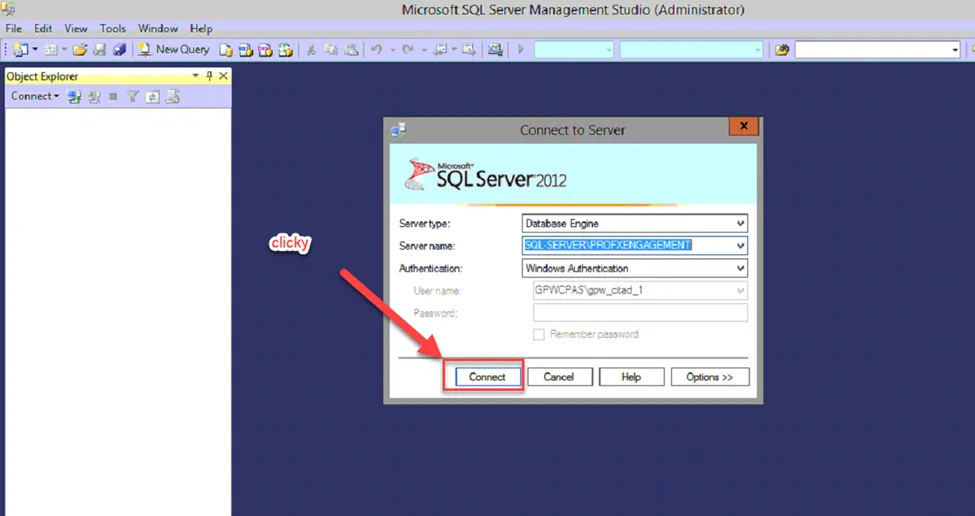
- Search for and launch the SQL Server Management Studio app.

- Click connect.
- Right click the parent directory and restart the service.
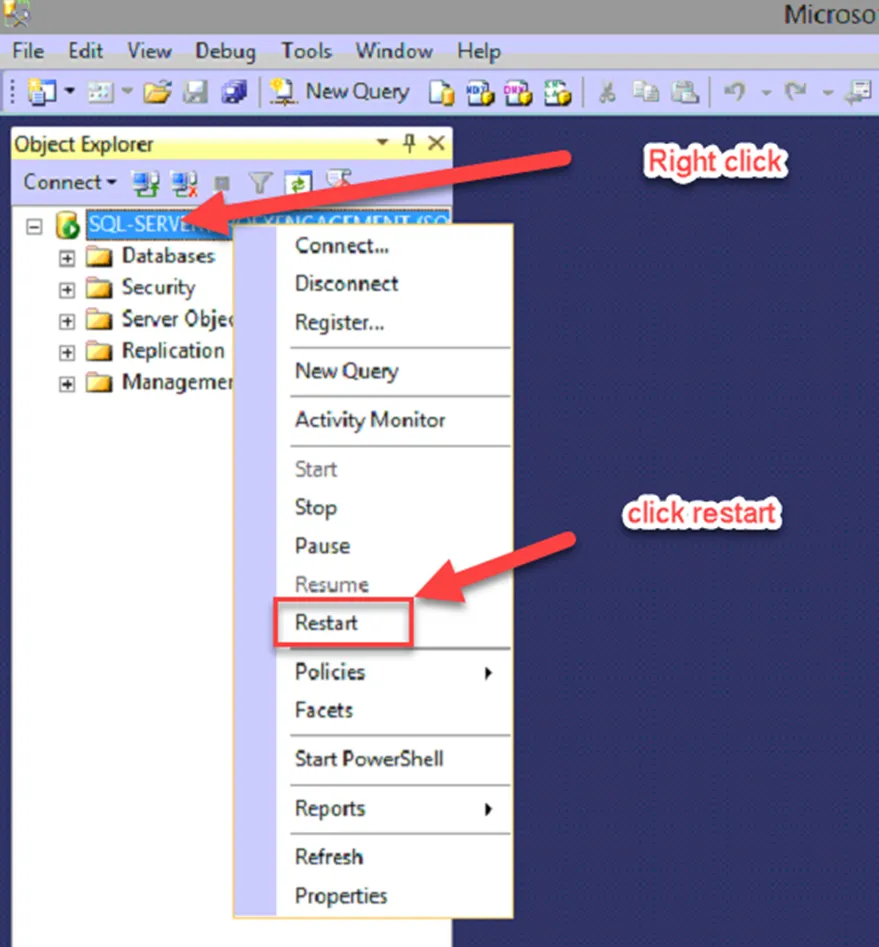
This should resolve the issue. Call and have the user test. They may need to sign out and back in. If this does not resolve the issue, escalate.