PROCEDURE This guide will cover how to use NCentral to create the localuser account
REQUIREMENTS
Access to NCentral and creating scheduled tasks.
STEPS
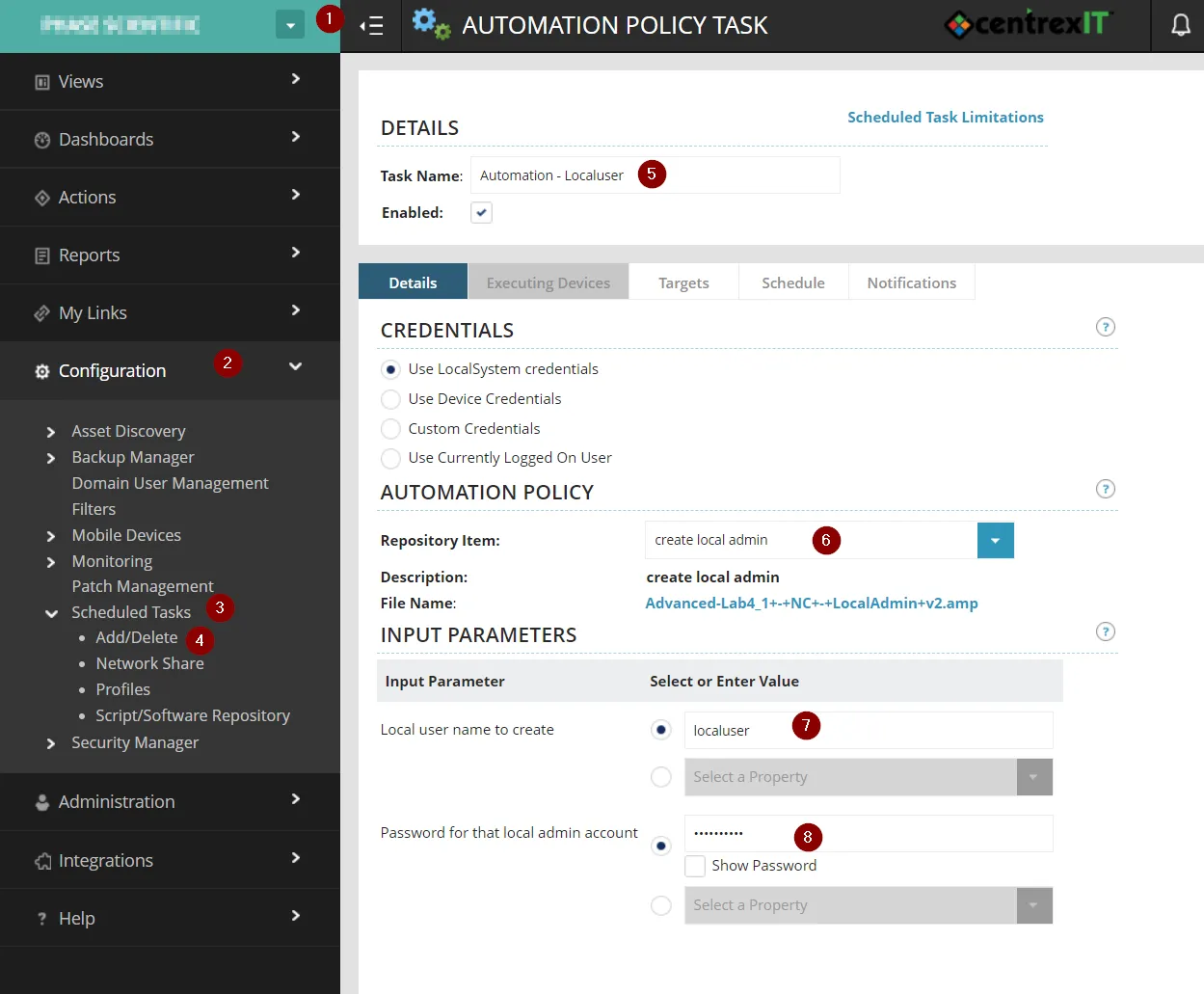
- (1) Navigate down to the Customer Level > (2) Click-On Configuration > (3) Click-On Scheduled Tasks > (4) Click-On Add/Delete > (5) Click on Add Automation, name the task “Automation - Localuser > (6) Select “Create local admin” from the repository items > (7) verify account name “localuser” > (8) configure standard localuser password for clients
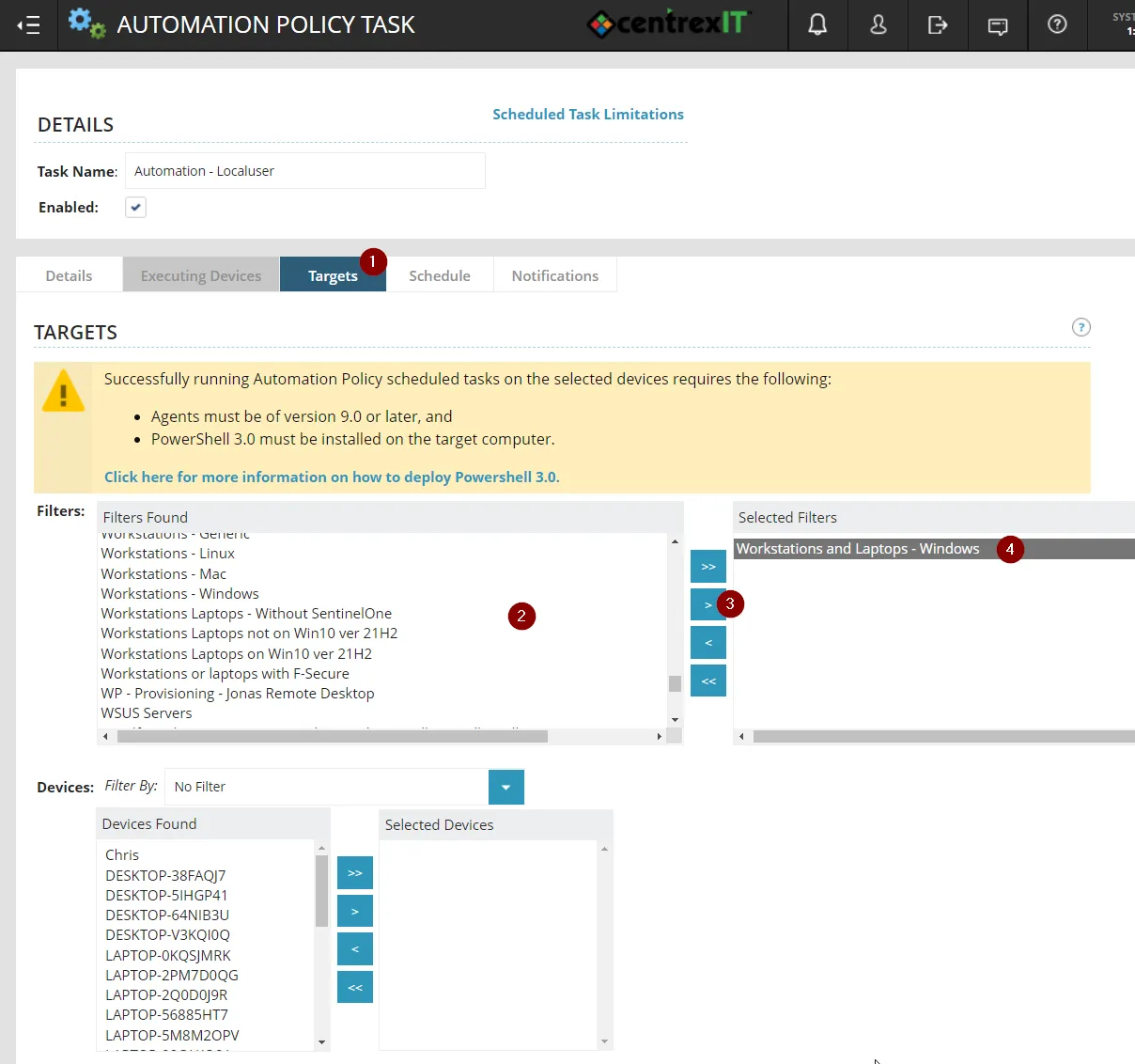
2. (1) Click-on Targets > (2) Find the filter “Workstations and Laptops - Windows” > (3) Click on the > arrow to target the filter
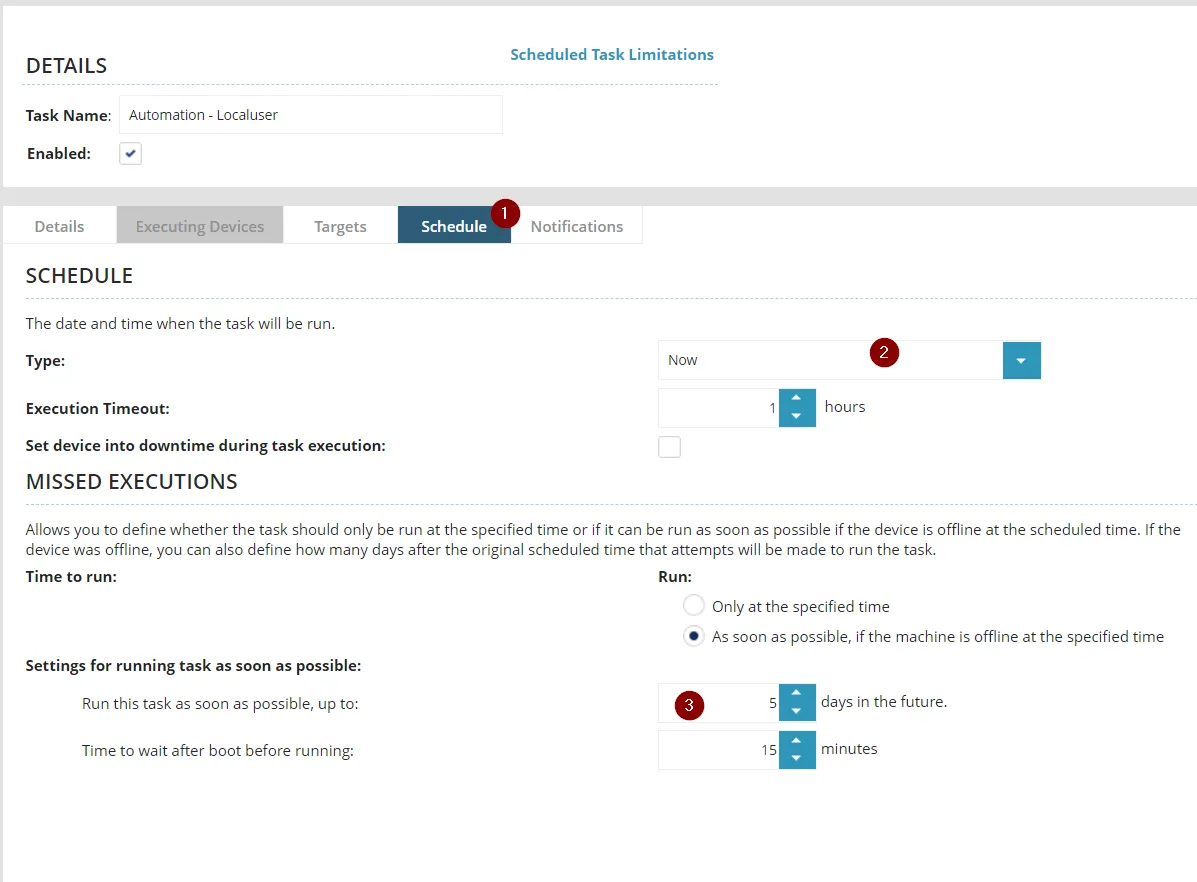
3. (1) Click-on Scheduel > (2) Choose to run “Now” > (3) Enable Radial button “As soon as possible…” and choose up to 5 days in the feature
4. Then click on save.
REFERENCES
Any additional resources such as external links.