PROCEDURE WI for uninstalling Sophos to install AV Defender or remove license from Terminated employee.
REQUIREMENTS
1Password > Websites > Sophos Console
One Login > Pulse SMS
STEPS
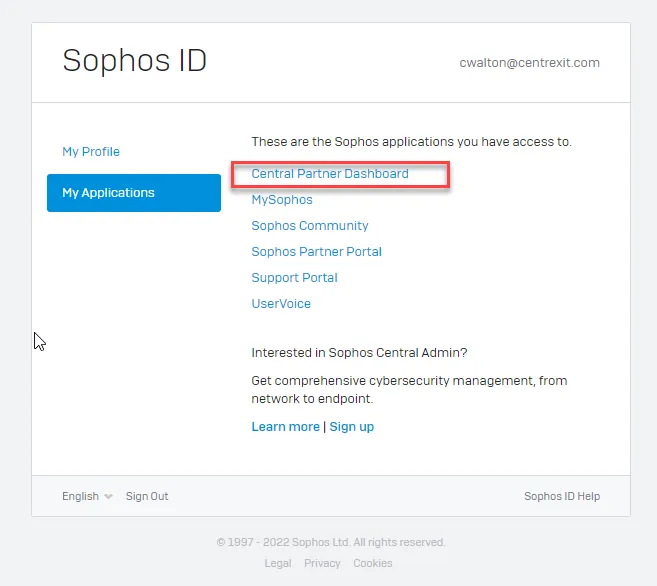
- Login to Sophos Console (Reference Requirements Section)
- Click on Central Partner Dashboard
- NOTE: Be sure to select the SMS number ending in XX32
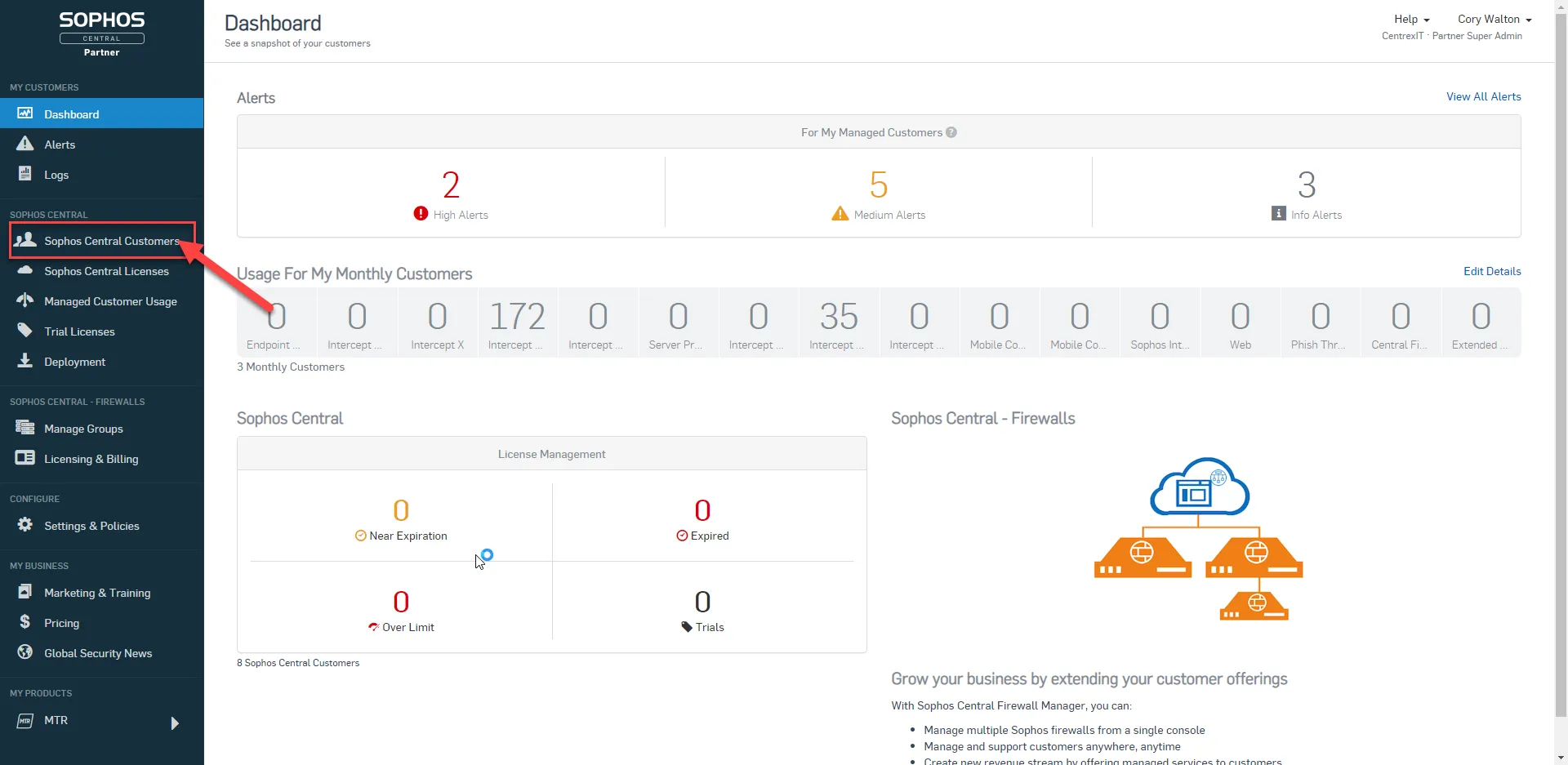
- Click on Sophos Central Customers (Left Navigation Pane)
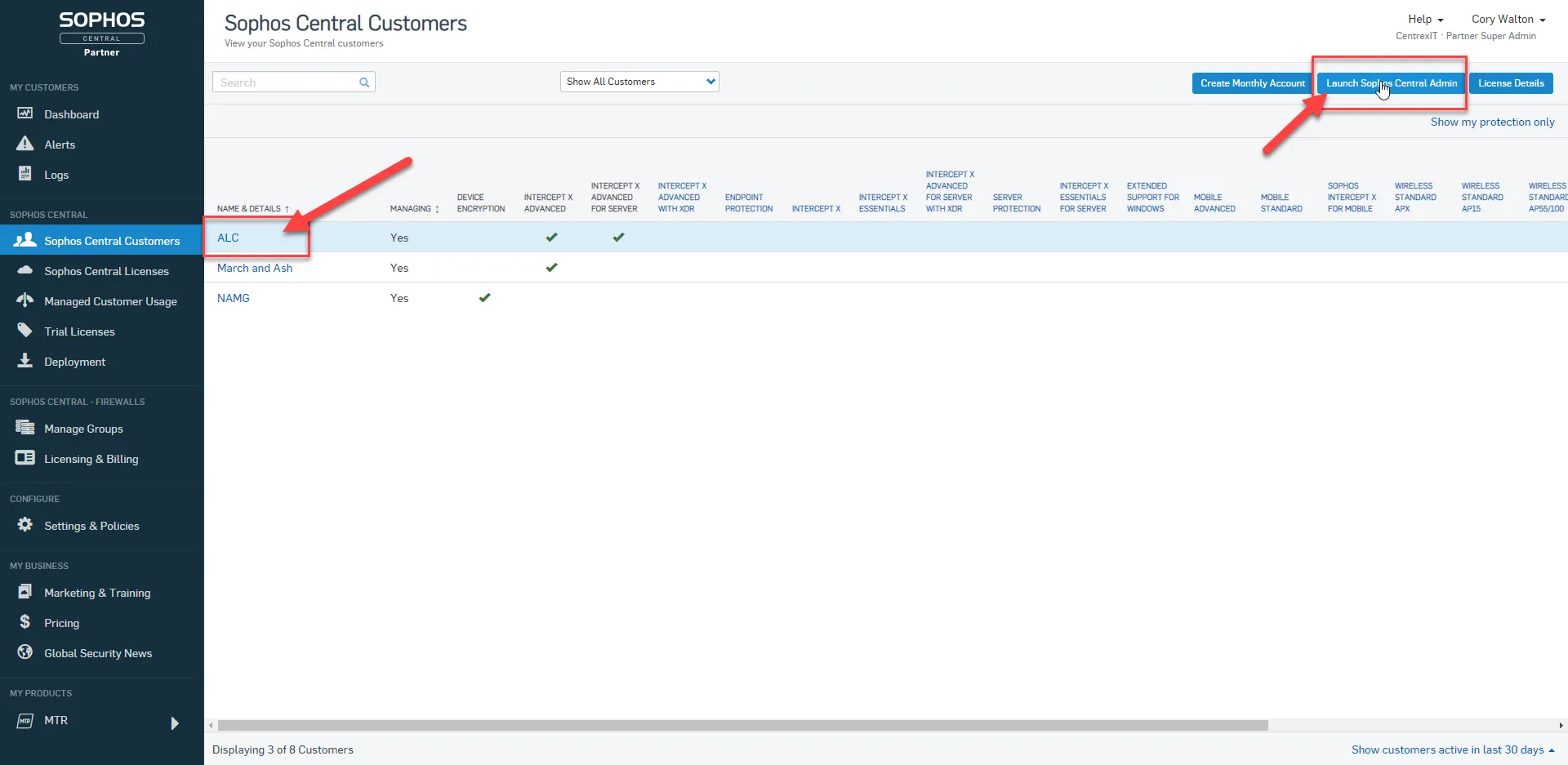
- Select the ALC row
- Click on Launch Sophos Central Admin
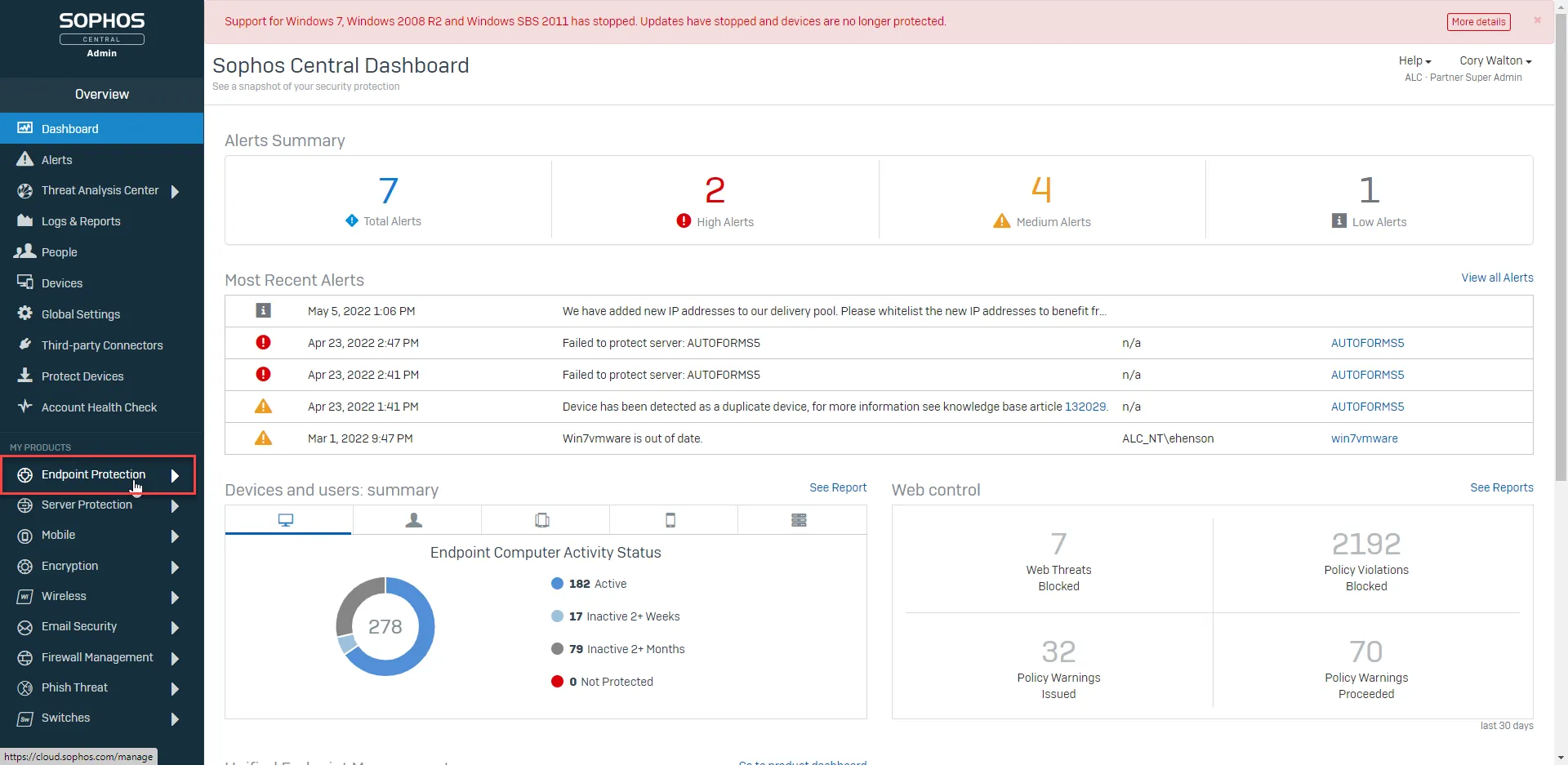
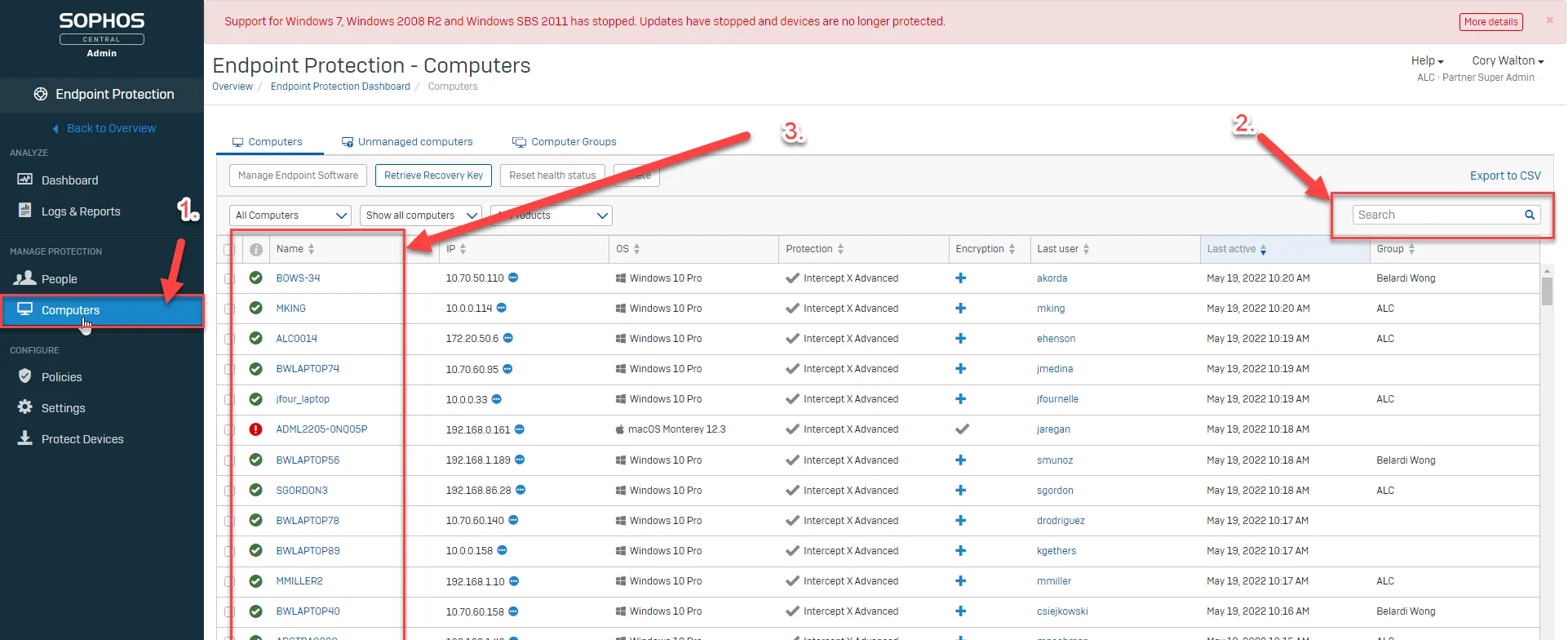
- Select Endpoint Protection (Left Navigation Pane)
- Select Computers (Left Navigation Pane)
- Search for the Computer/Hostname
- Select the appropriate computer
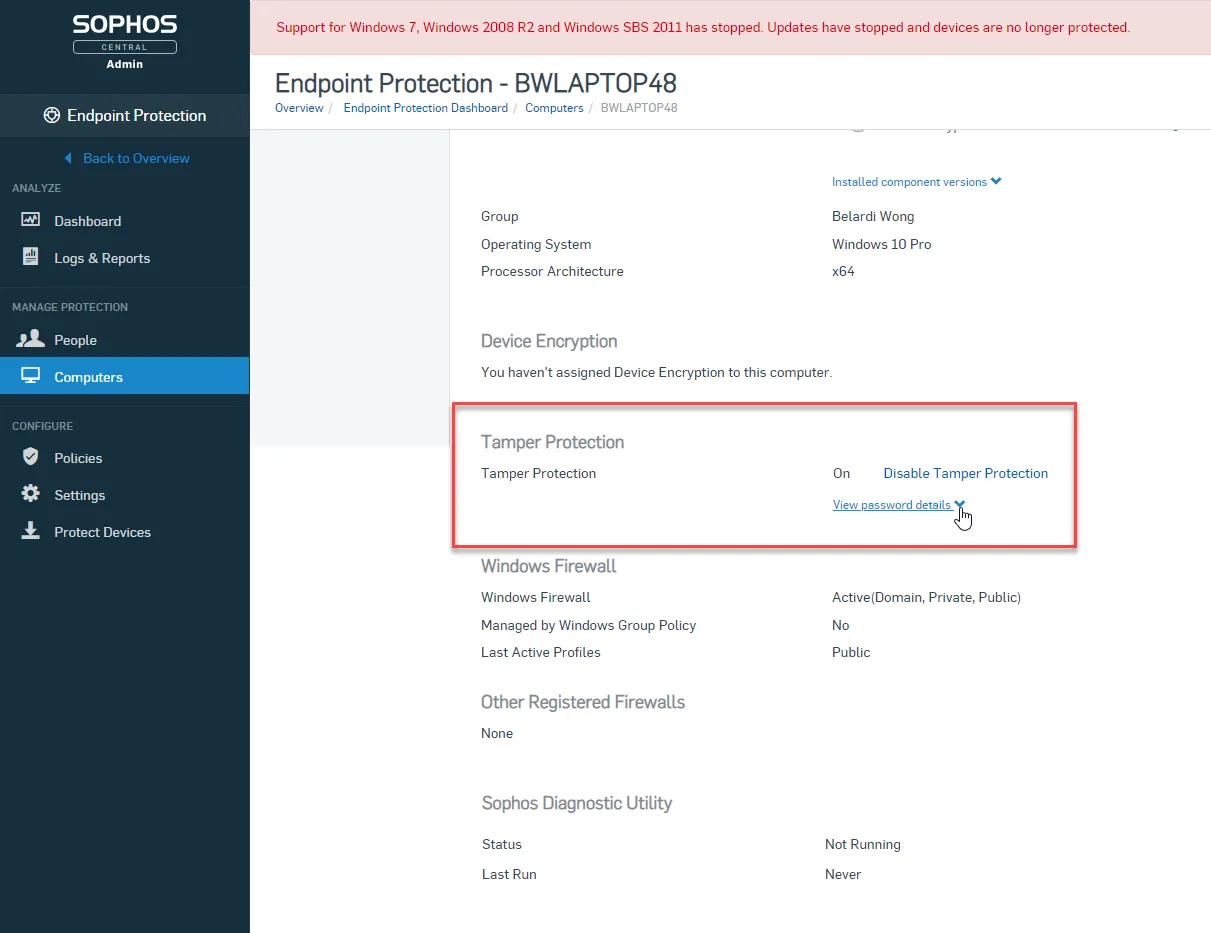
- Scroll down to Tamper Protection (TP)
- Click the dropdown to reveal the TP password.
- From the target computer go to > Control Panel, open Add or Remove Programs > locate Sophos > Change/Remove or Remove. Follow the instructions on screen for uninstalling the software using the TP password when requested
- If Sophos does not need to be reinstalled:
- Click Disable Tamper Protection
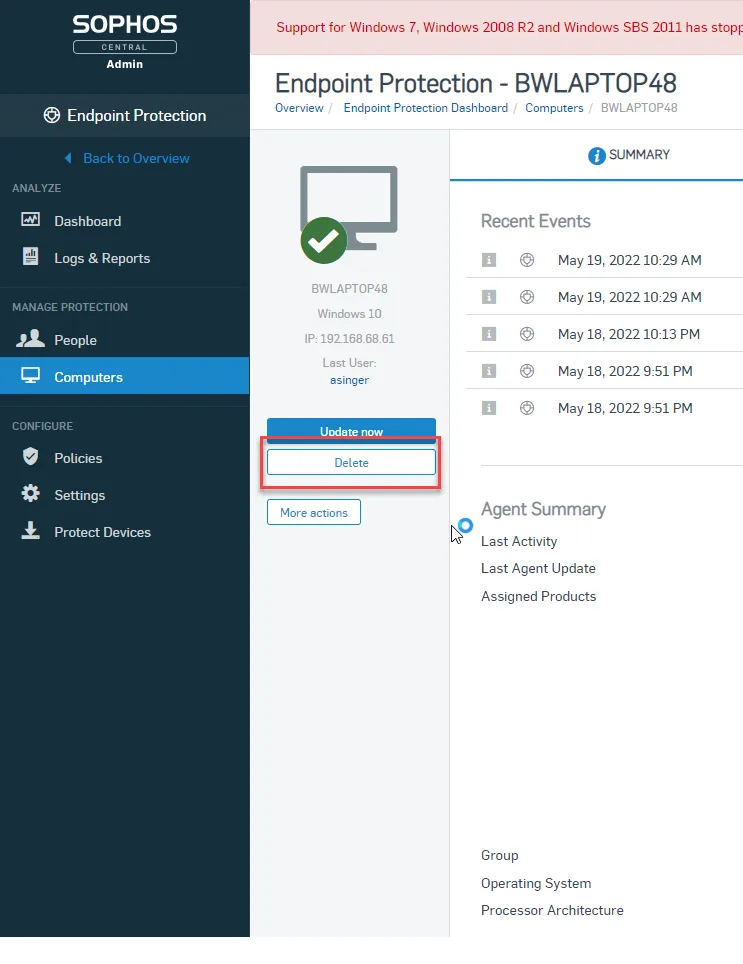
- Scroll back up on the Computer Summary Page
- Click Delete
- Follow prompts to Delete
Success:
-
Using the TP Password to uninstall Sophos Agent
-
Deleting unneeded computer object from Sophos Console
Next Steps on failure:
-
Wipe and reload if computer was not in the Sophos Console
-
Contact Adstra vITM REFERENCES