Review and use the offboard form submitted to complete the user termination.
-Login to Google workspace, credentials are in password state. admin.google.com
-If the option under Email is checked to reset the password follow these steps.
-Once logged in to the workspace admin center click on Manage in the Users section.
-Here you will locate and click on the user account.
-Here you will reset the user password and create a generic one and send back to the requester.
-If you need to setup a email forward follow these steps.
-In the google admin center navigate to Apps>Google Workspace>Gmail
-Locate and click the Default Routing
-Add another rule
-Email email address for the email you wish to forward.
-Check Add more recipients under Also deliver to then Add
-Here you will enter the email address you wish to forward to. Then click save.-
User Data
-If the account access just needs to be disabled, login to https://console.jumpcloud.com/login/admin credentials in password state.
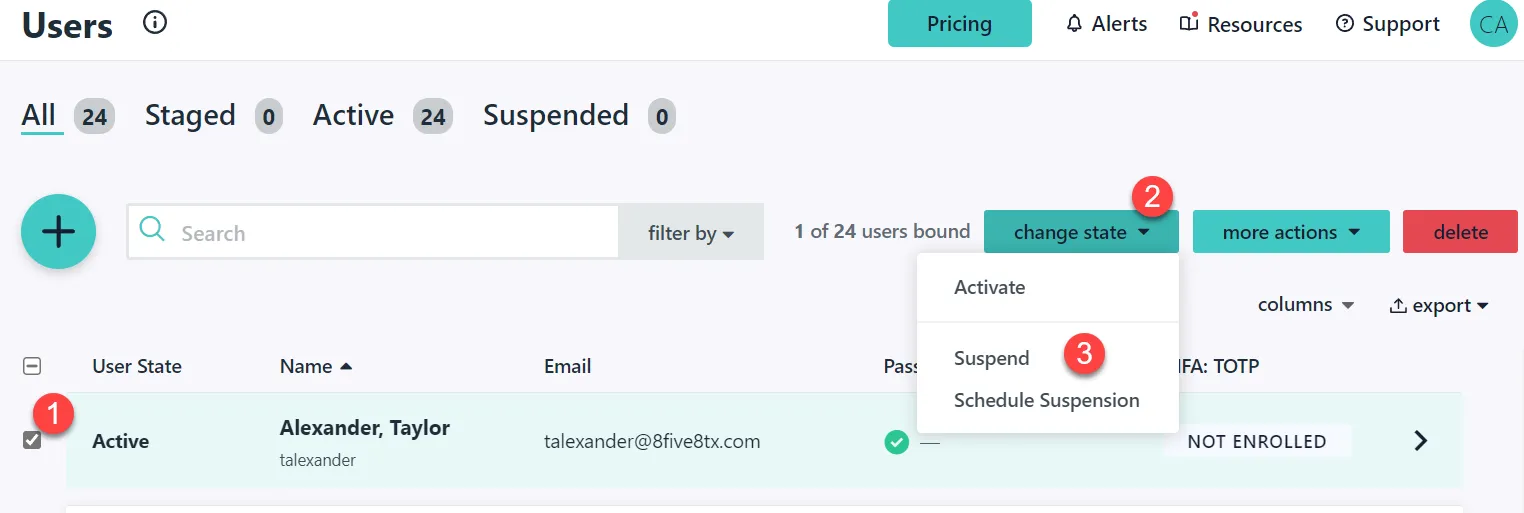
-From here go to Users under user management
-Locate the user, click change state and click suspend.
-If the user profile data needs to be deleted off the macbook, we can pick it up for reprovisioning.
-If the data needs to be copied off to data storage you will need to ask Kim Russell where to put this and document it in your TK.
Dropbox
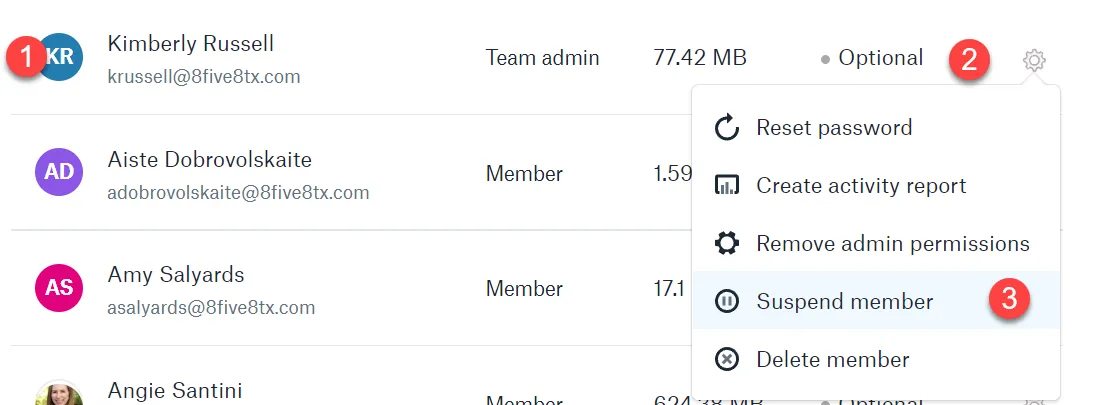
- Disable /Block login.
-Login to Dropbox and block user login
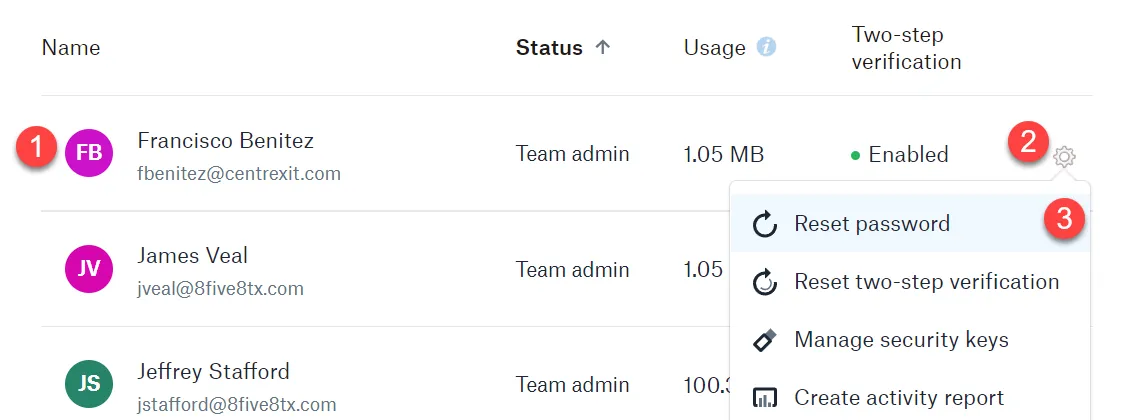
-Reset password and grant access.
- Login to Dropbox and reset the user password, provide to requester.
-Hardware
-Schedule a pick up if requested.