March and Ash PC Setup Guide
Section titled “March and Ash PC Setup Guide”Standard Make & Model: Lenovo Tiny’s
Alternate Make & Model: N/A
Default naming schema: MAA-Serial Number
Minimum OS Versions: Windows OS 21H2
Domain: No Domain at this time
VPN: No VPN at this time.
Software:
Section titled “Software:”-
N-Central Agent
-
Microsoft Office Suite / M365 x64
-
Cisco Secure Client
-
Cisco Umbrella Client
-
Google Chrome
-
Adobe Reader
-
Adobe Pro — By Request
-
Adobe Creative Suite — by request
Setup Steps:
Section titled “Setup Steps:”-
Create “localuser” account with the credentials within 1Password.
-
Rename device
-
Restart the device
Setup the user profile
Section titled “Setup the user profile”- Sign in to Outlook, pin it to the taskbar
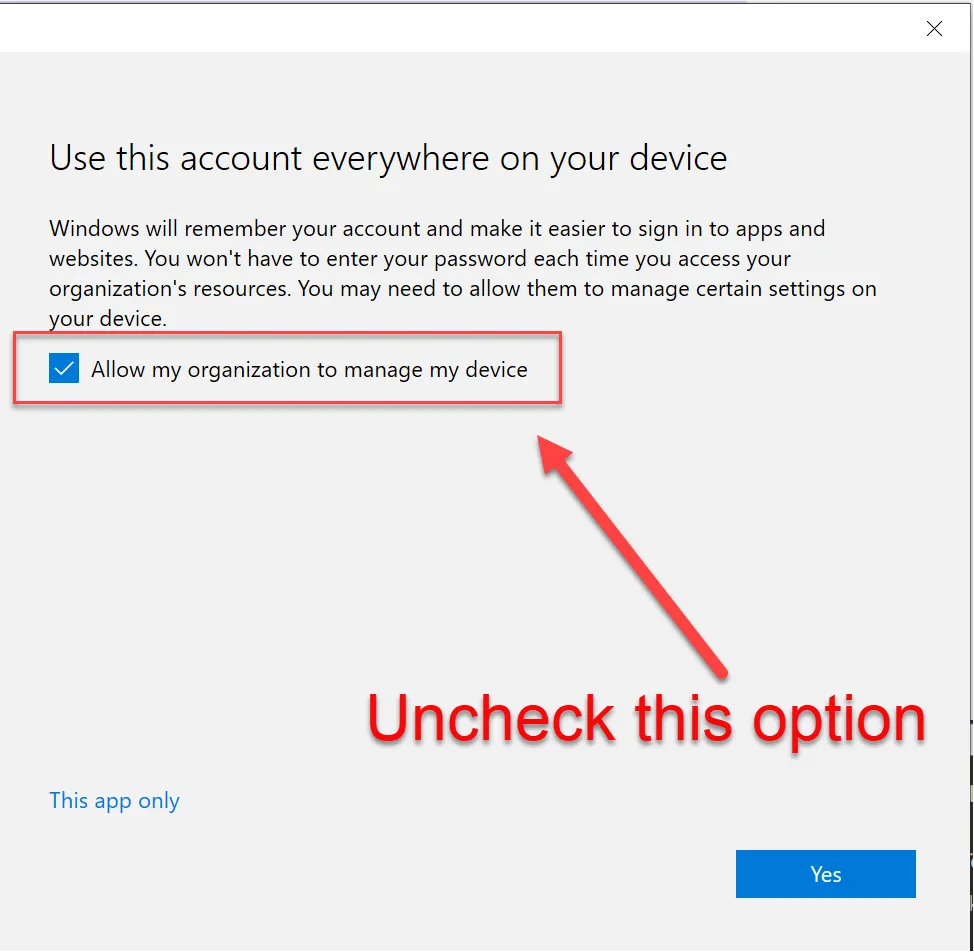
- When presented with this screen, uncheck the box that “Allows this organization to manage my device” as it tends to cause authentication issues with TPM.
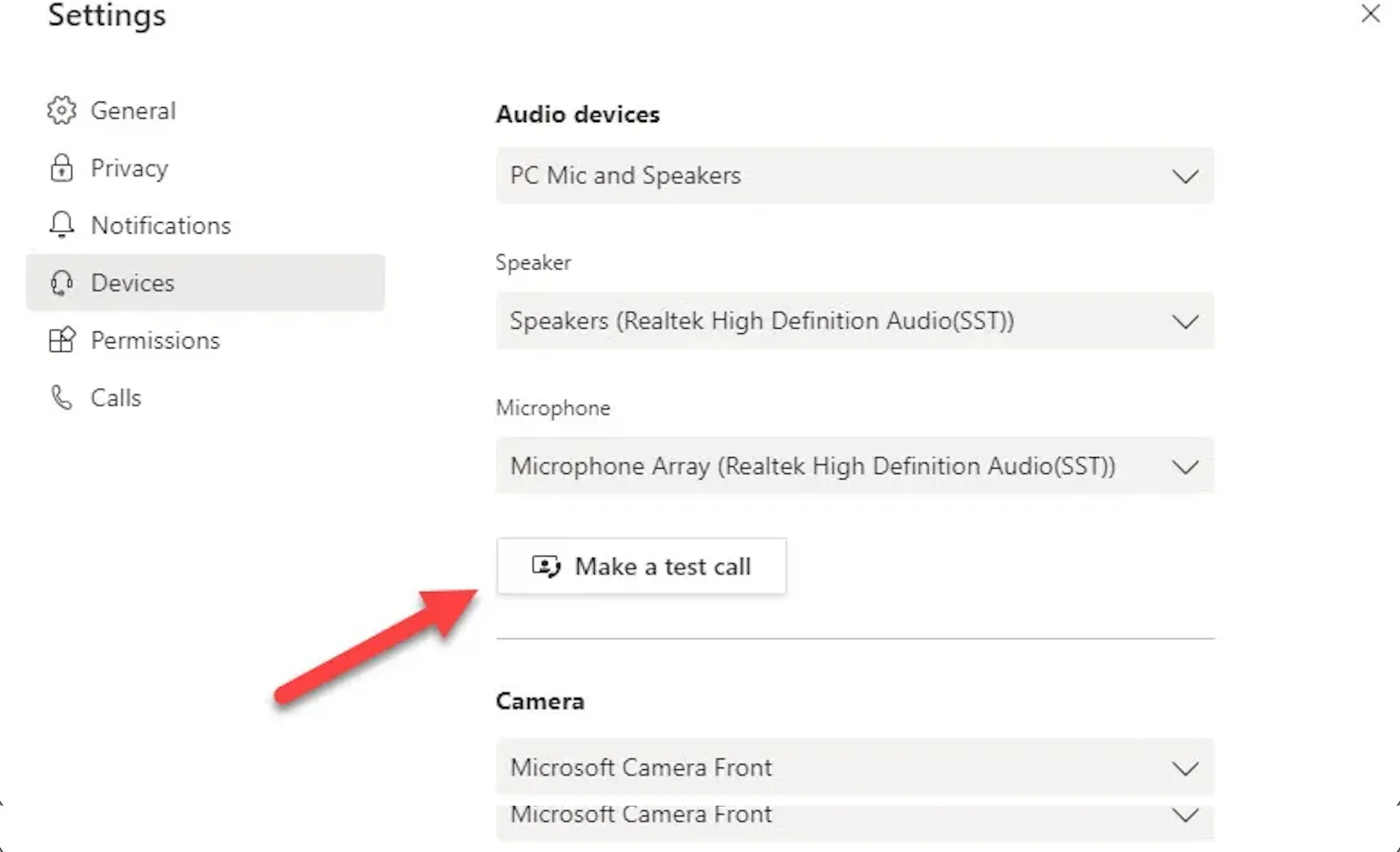
- Set up Teams, perform a test call to ensure the camera and mic work and that no network authentication message pops up during the user’s first meeting.
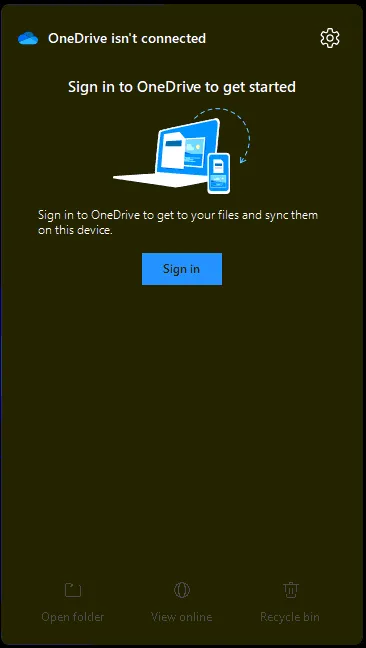
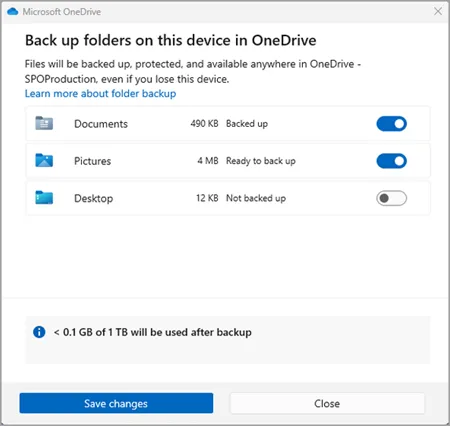
- Setup OneDrive from taskbar shortcut
-
Set App defaults within Settings
-
Uninstall bloatware
-
Clean up taskbar and Start menu bloat
-
Remove Widgets, CoPilot, Shrink the Search menu
-
Pinned apps: File Explorer, Google Chrome, Outlook, Teams
-
Set system sleep times 15-30-30-1Hr.