MFA Summary: Your passwords can be easily compromised. MFA immediately increases your account security by requiring multiple forms of verification to prove your identity when signing into an application.
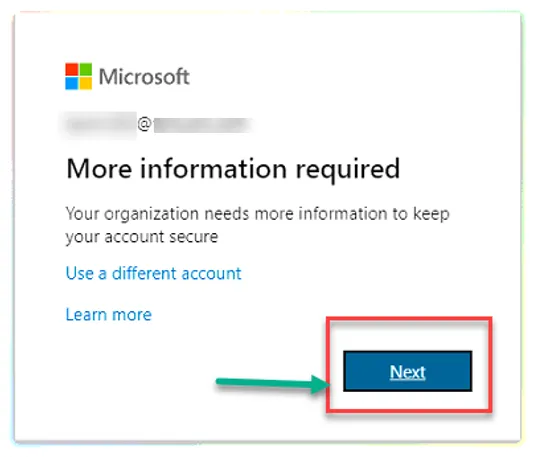
When MFA is enabled on your Microsoft 365 account, you will be prompted to register your MFA with the 1.) Microsoft Authenticator App, and 2.) Your mobile number the next time you log in to M365.
Please follow these instructions to register your MFA.
Note: These instructions only apply when you are offsite. MFA is not enforced when you are connecting inside the office.
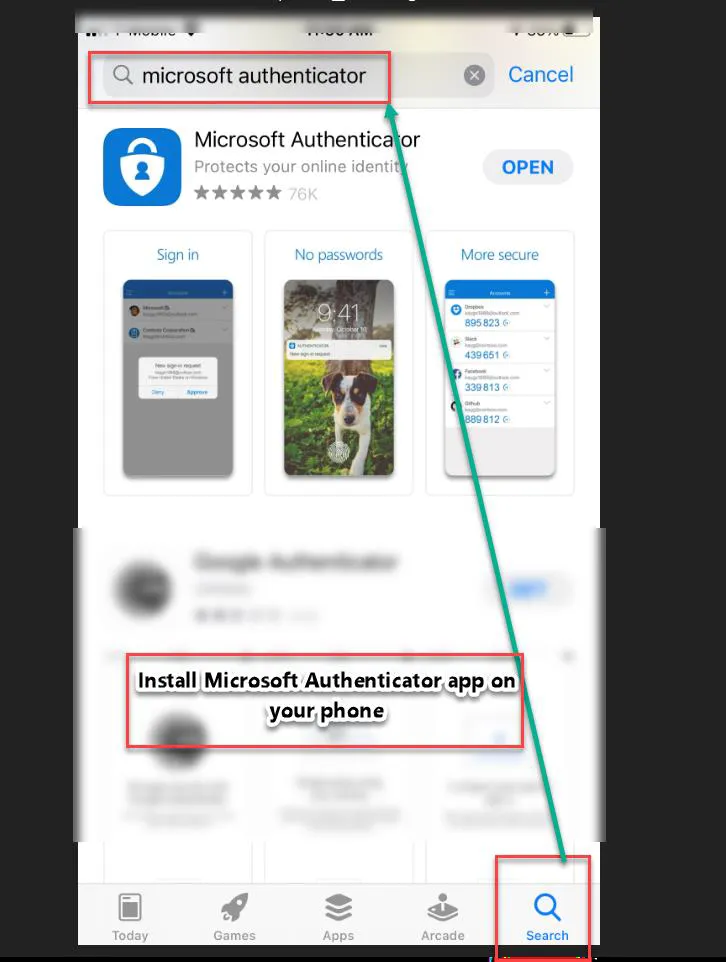
Prerequisites: Install Microsoft Authenticator app on your phone.
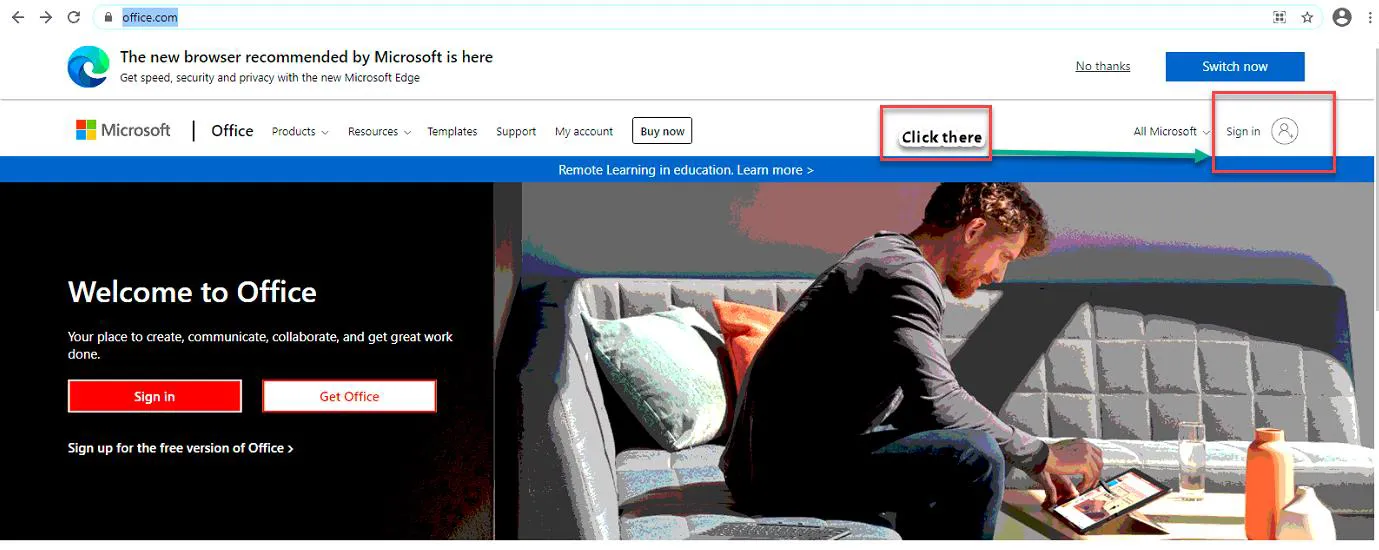
Open the browser and log on to: https://www.office.com/
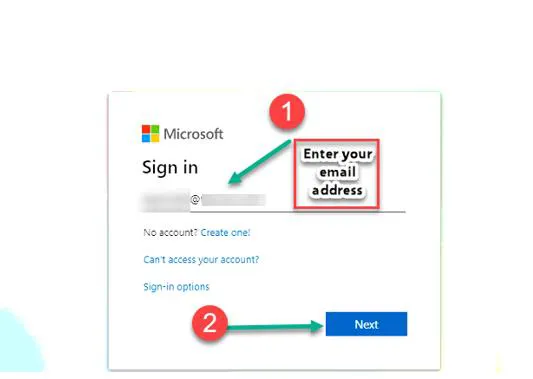
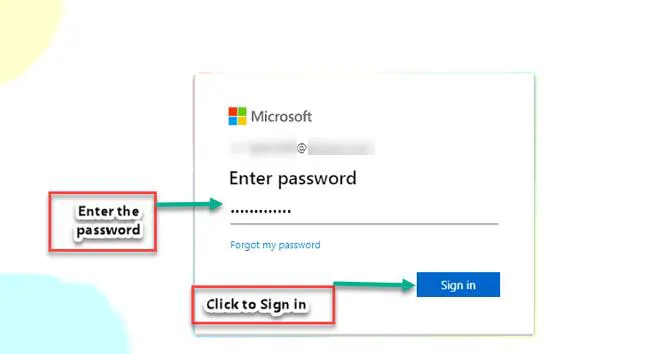
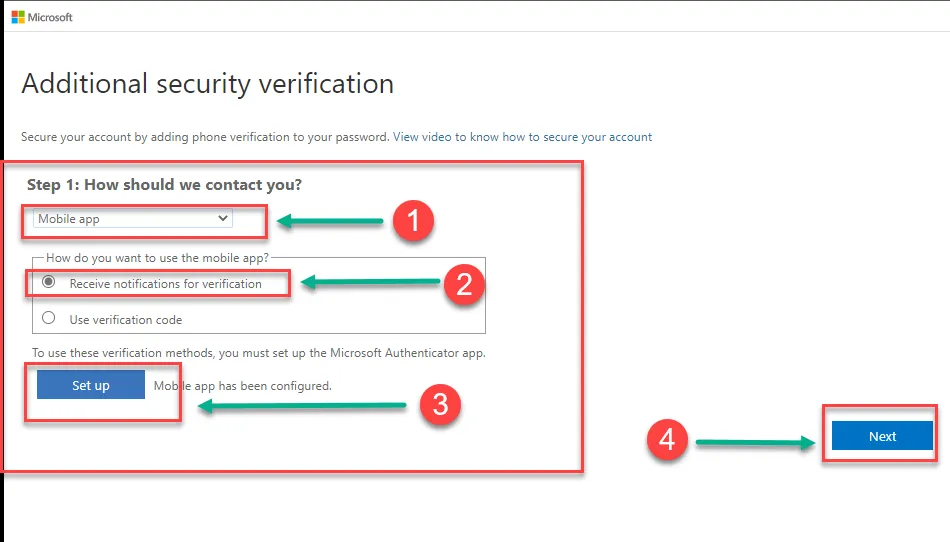
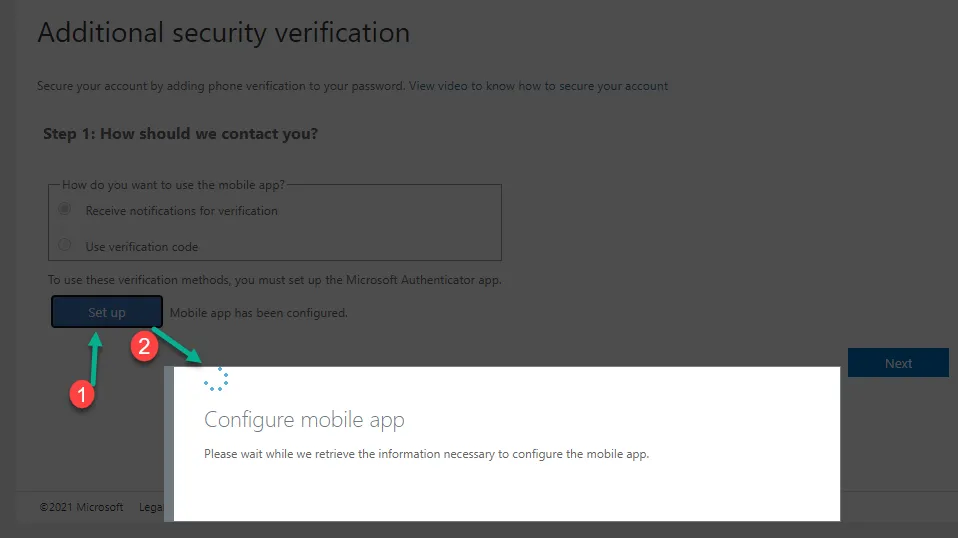
Go back to your phone and open the Authenticator App which was installed earlier.
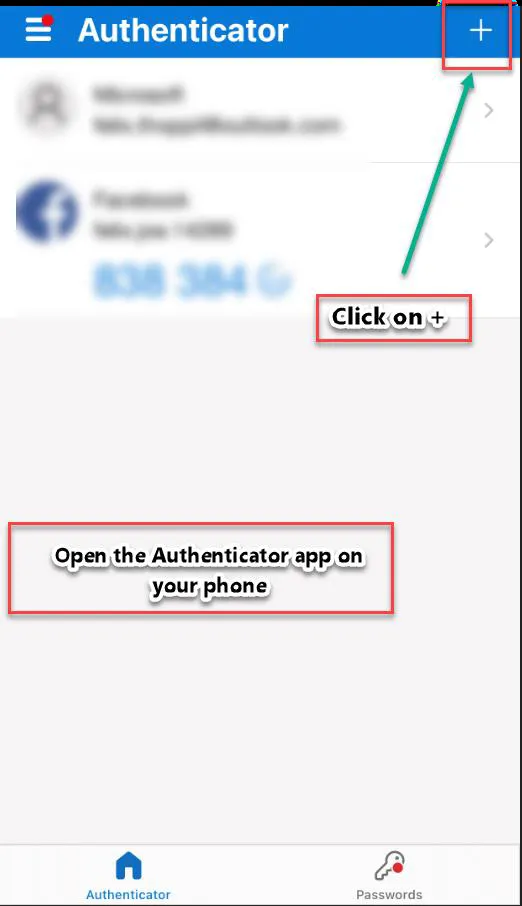
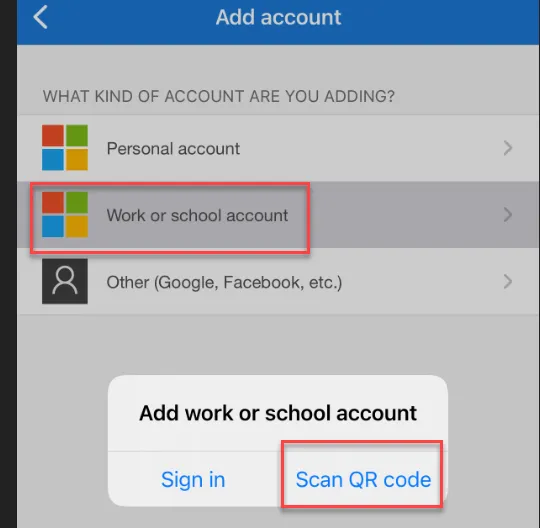
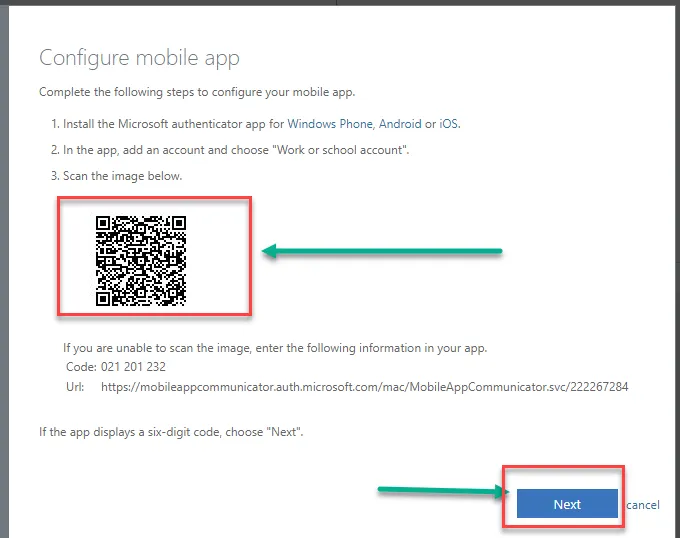
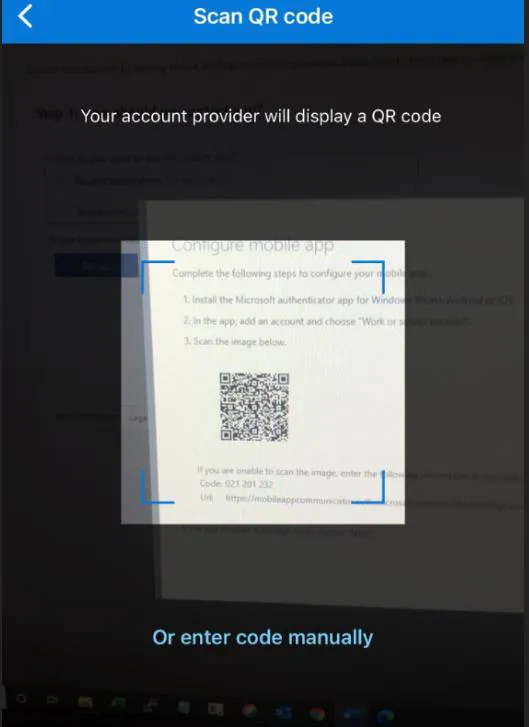
Using your mobile device, perform Scan QR code on your computer screen. Note: DO NOT SCAN THE QR CODE ON THIS WORK INSTRUCTION.
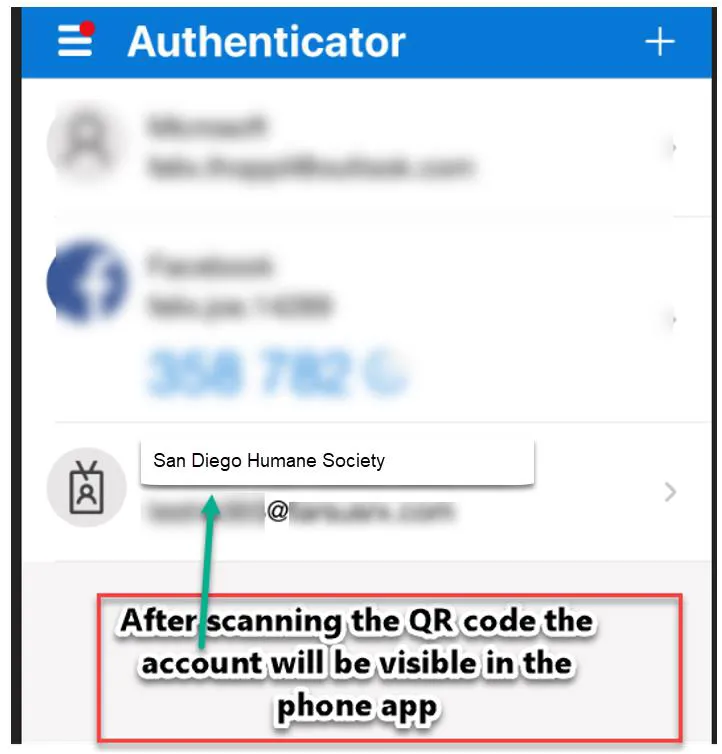
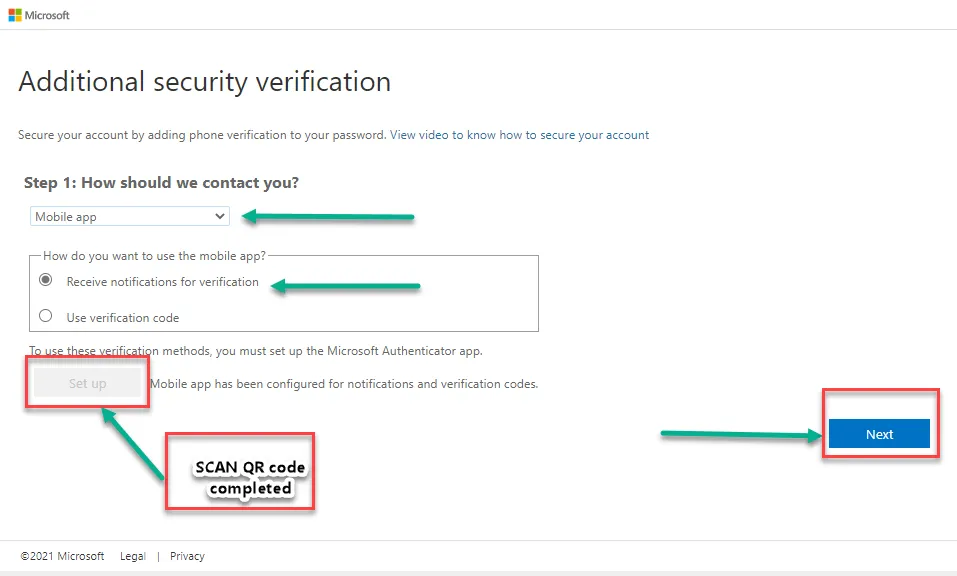
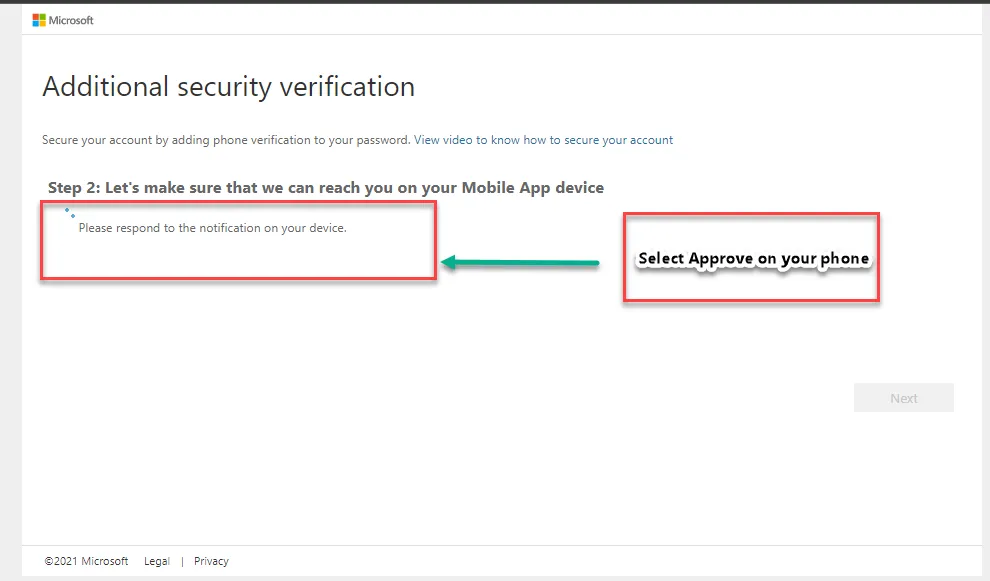
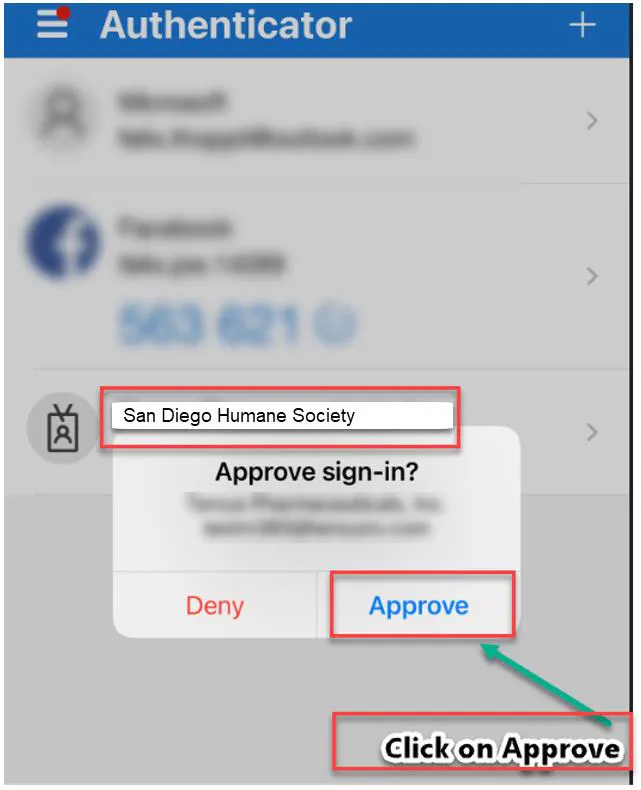
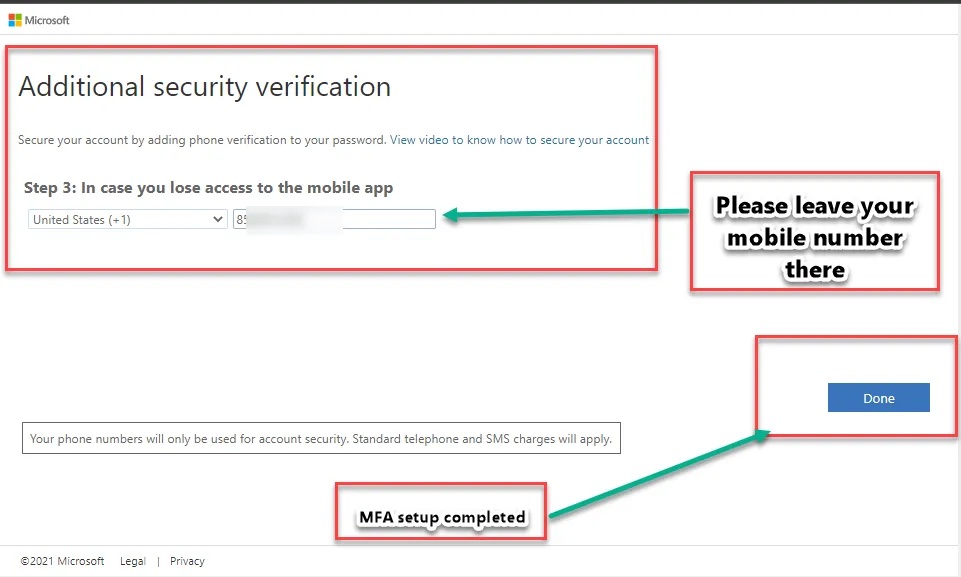
You have successfully registered for Multi-Factor Authentication.