1. Open up your Google Chrome browser and click on the three dots that appear on the upper right corner of the window, as seen in the photo below.
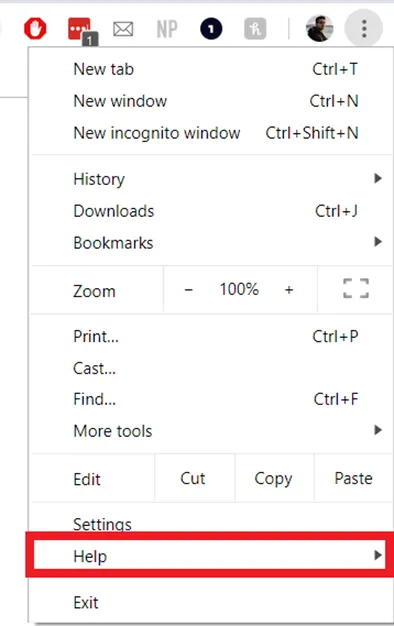
2. This will bring up the following menu in which you will find “Help”. Hover your mouse over the option.
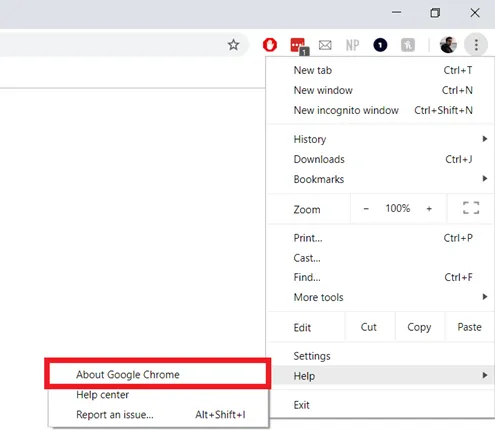
3. This will bring up a second menu. Search for “About Google Chrome” and click on it.
4. This will open up a new tab/page and should initiate an automatic check and update to ensure you are on the latest version of Chrome. Please ensure that Chrome says it’s up to date. After that, you’re good to go.