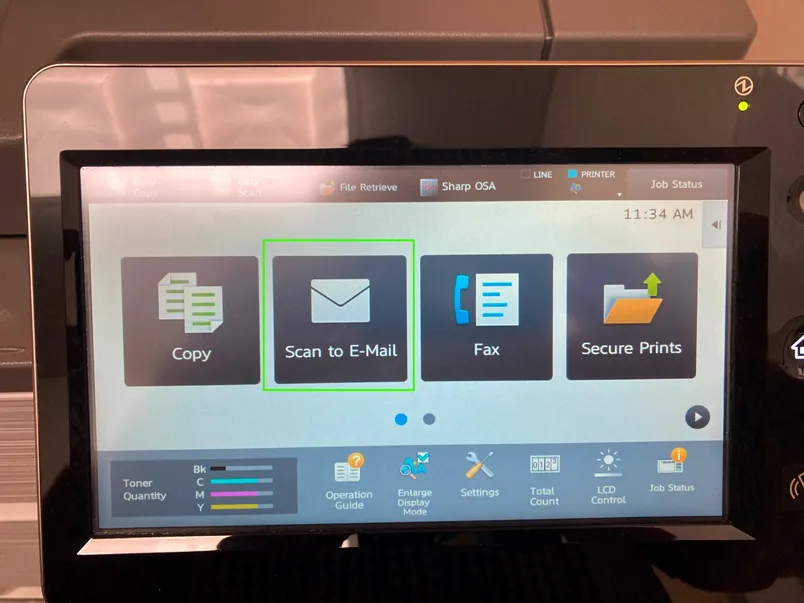
1. Click Scan to E-Mail on the printer screen.
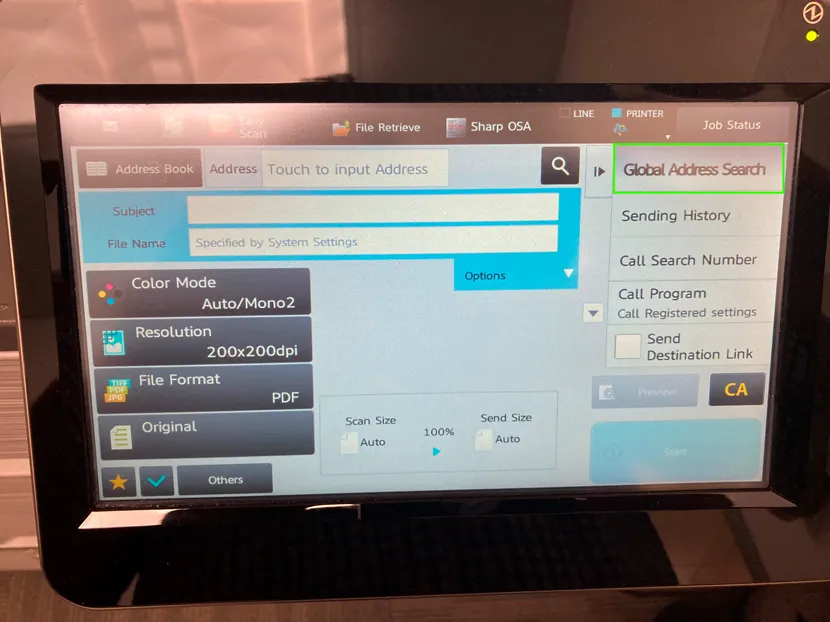
2. Click Global Address Search.
3. Type in a portion (or all) of your name and click Search Start.
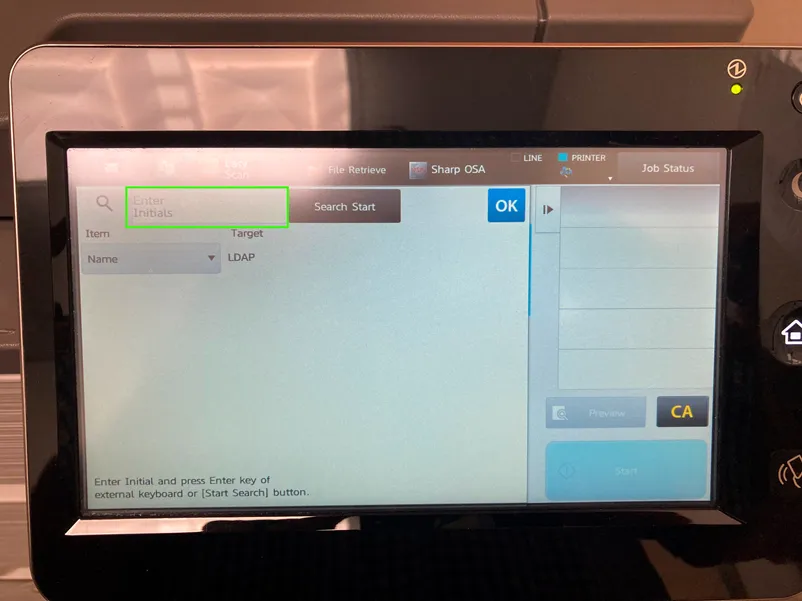
4. Matching results will appear (“lar” returns Laritza Pina in this example).
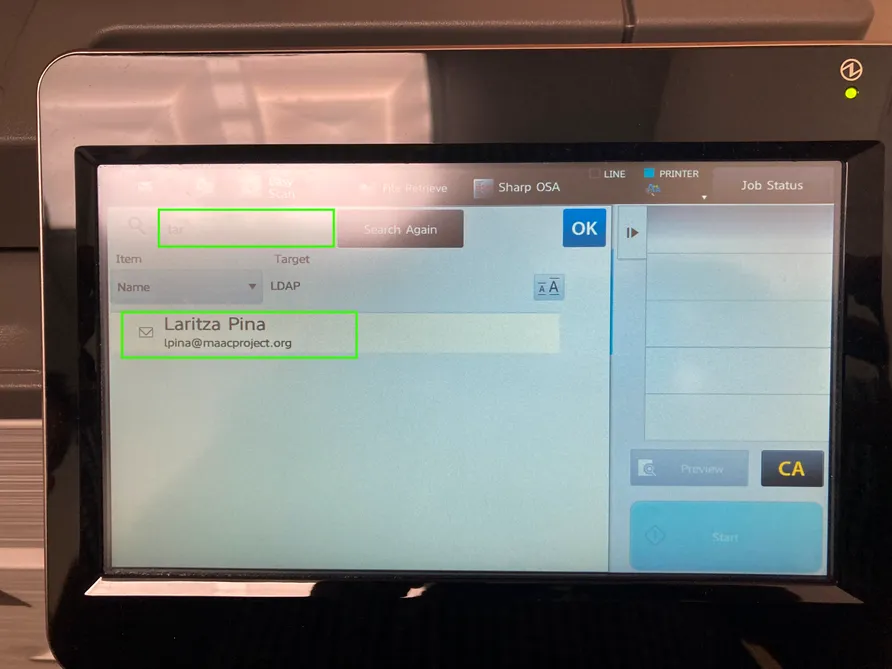
5. Click the appropriate email address and then the OK button.
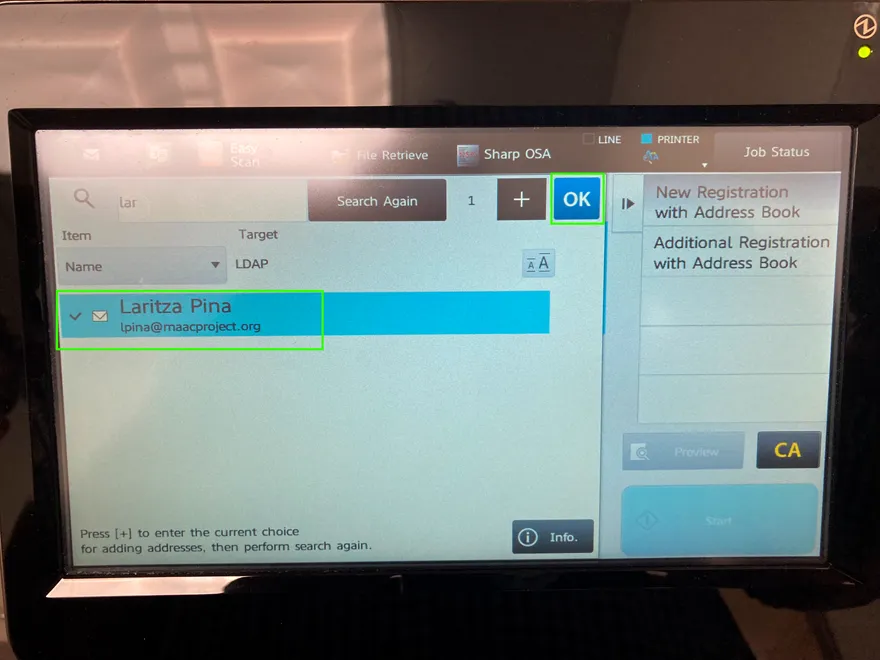
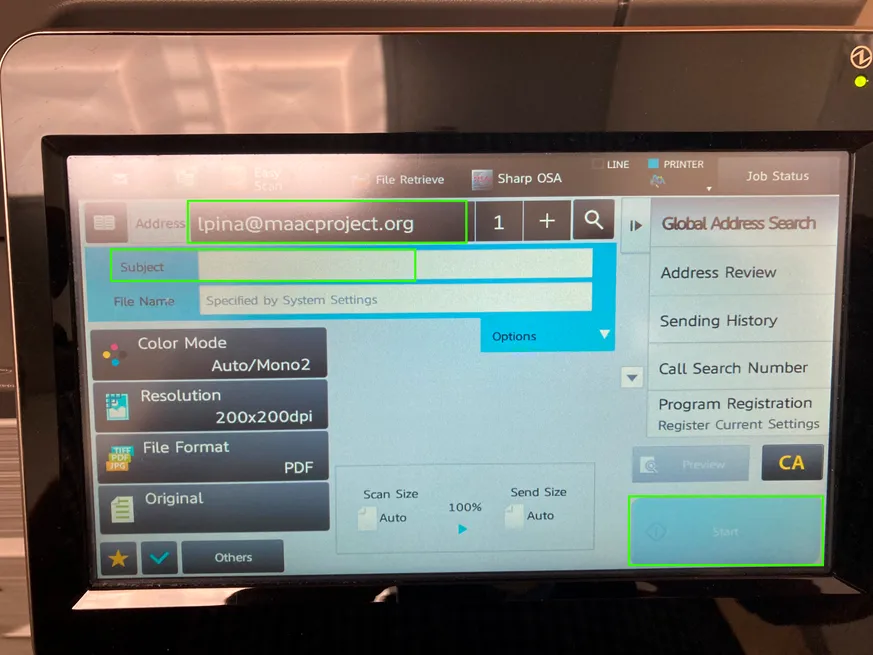
6. You are now ready to add a subject, load the tray with the document(s) to scan, then press Start.