1. Log in to Ncentral.centrexit.com and navigate to the customer level of which access will be provided.
2. Navigate to Administration> User Management> Access groups.
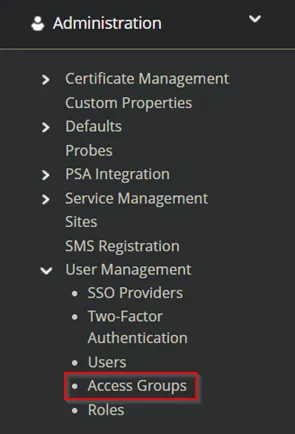
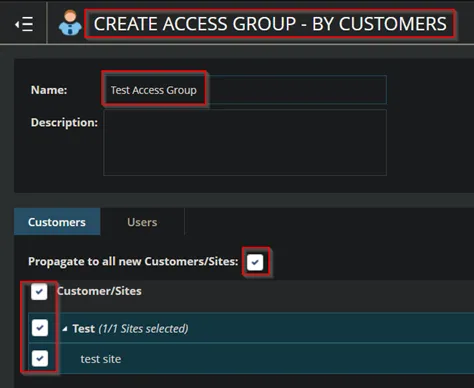
3. Click add> By Customers.
4. Name the group “Client name” Access group, click propagate check box, select the customer/site checkbox, then click save.
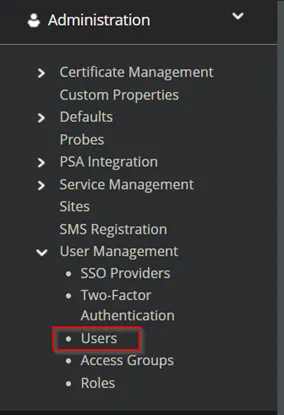
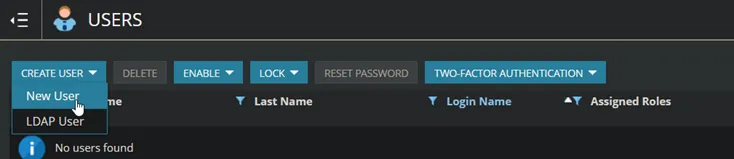
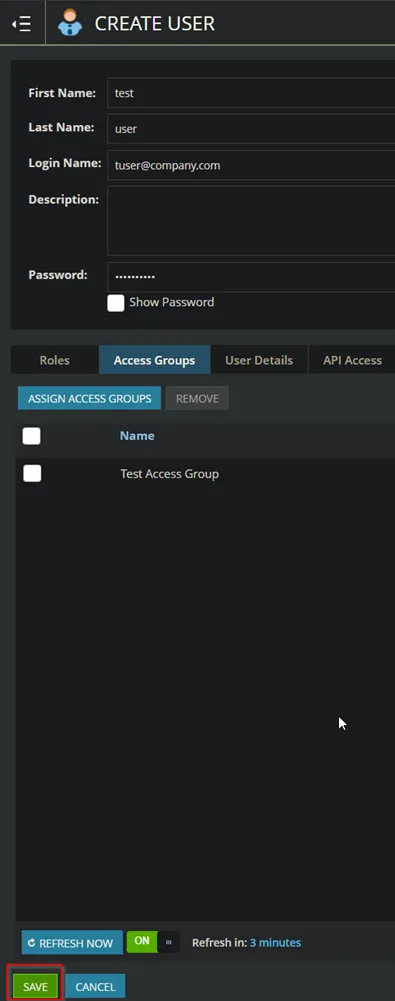
5. After saving, click Administration> User Management>Users. Then click Create User> New User.
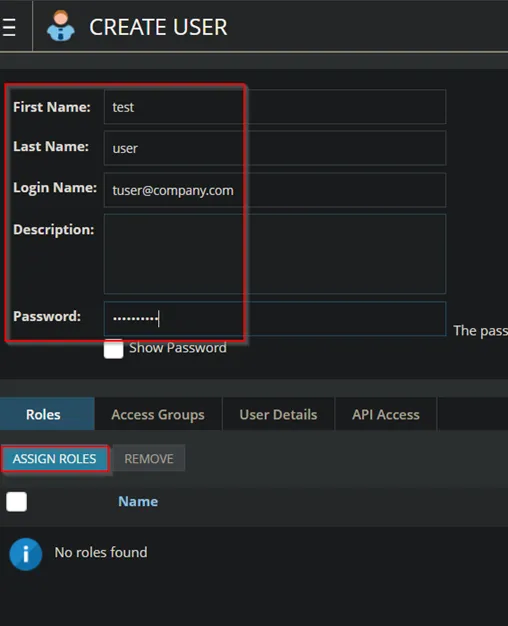
6. Fill out user information, then click Assign Roles.
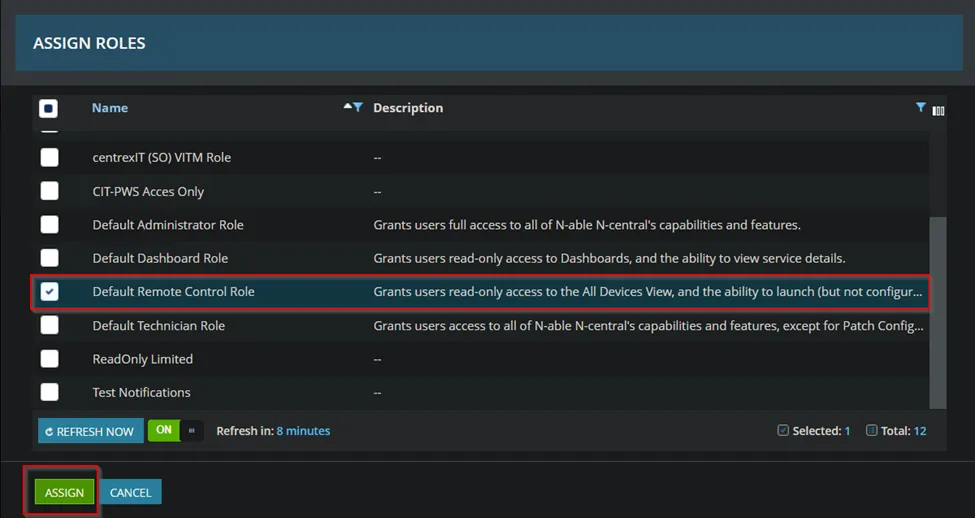
7. On the Assign Roles page, click the “Default Remote Control Role” and click assign.
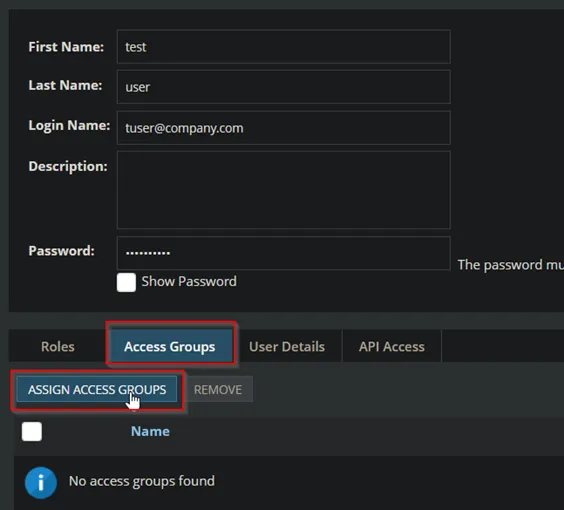
8. Click Access Groups > Assign Access Groups.
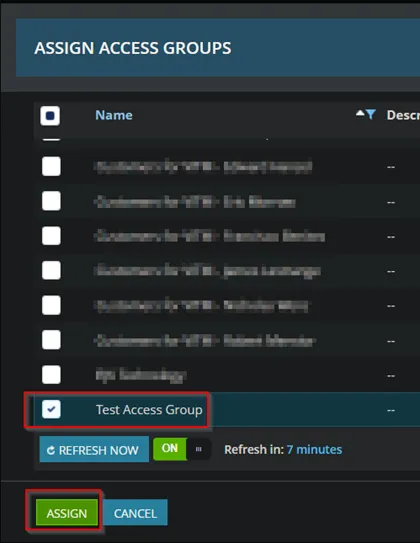
9. Find the customer access group you created and select it, then click Assign.
10. On the User Properties page, click save.
11. On the Users page, select the user and click “Reset Password”. This will send password reset instructions to the user.