How to update Synology DiskStation Manager
Section titled “How to update Synology DiskStation Manager”Configuration Backup
Section titled “Configuration Backup”Always perform a Configuration Backup, before updating DiskStation Manager.
Go to Control Panel > Update & Restore to immediately back up system configurations to a local computer. This allows you to save various settings (e.g. users, groups, file service settings, etc.) and restore the settings at a later date. System configurations are saved as a .dss format file.
To back up system configurations:
Section titled “To back up system configurations:”- Click Back up configuration.
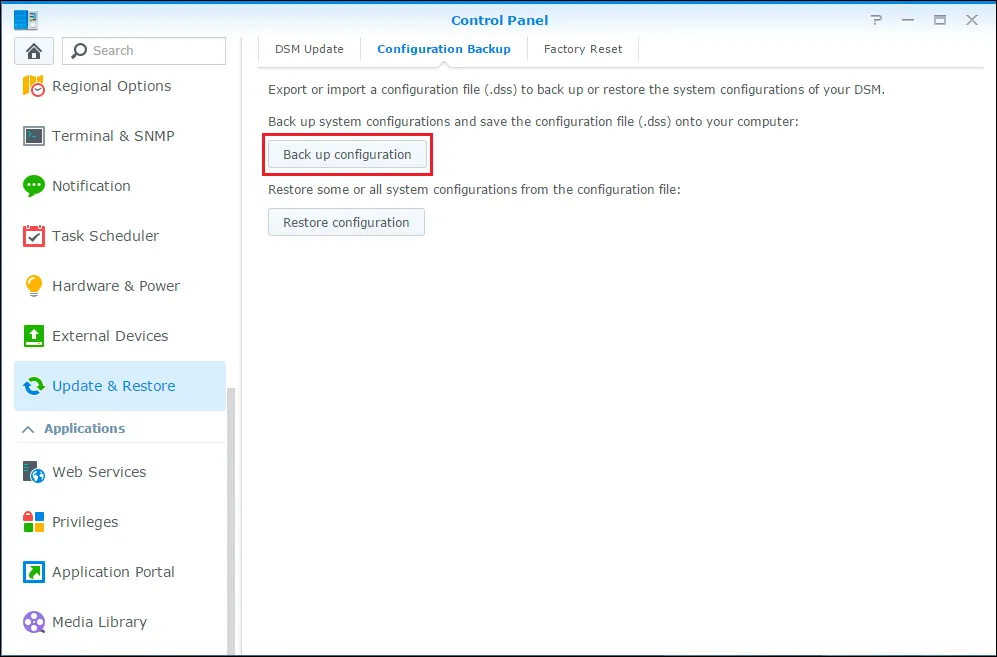
- A configuration file will be downloaded to your computer (with the name [Synology Product Name]_[Created Date].dss).
Set Automatic update check
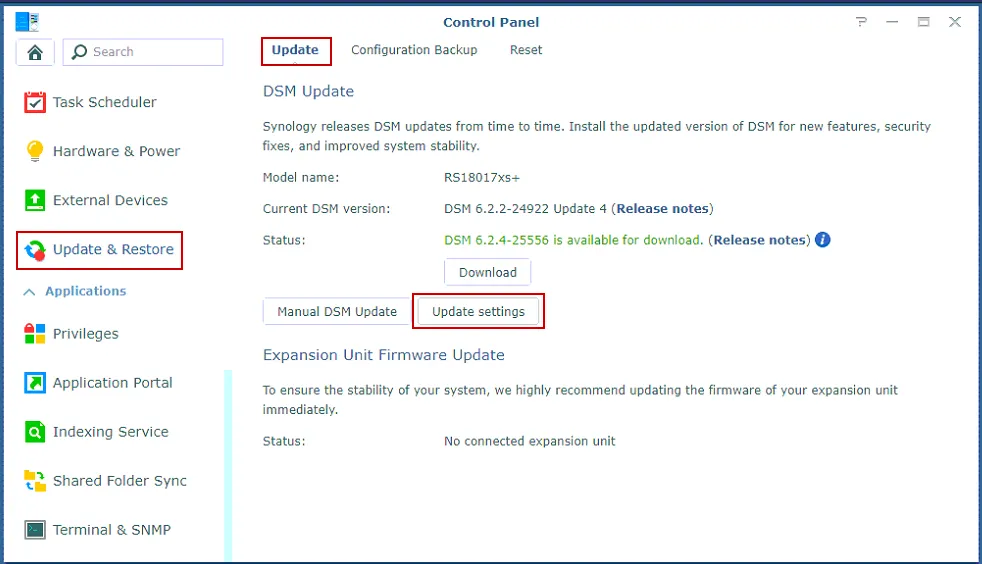
Section titled “Set Automatic update check”- Go to DSM Control Panel > Update & Restore > DSM Update and click Update settings.
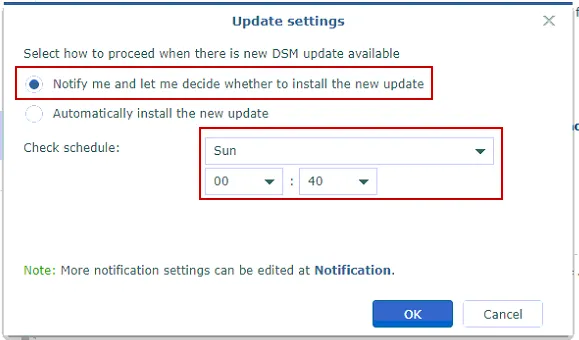
- Select Notify me and let me decide whether to install the new update. Set an appropriate check schedule. Click Ok
Manual update
Section titled “Manual update”- Go to DSM Control Panel > Update & Restore > DSM Update and click Download.
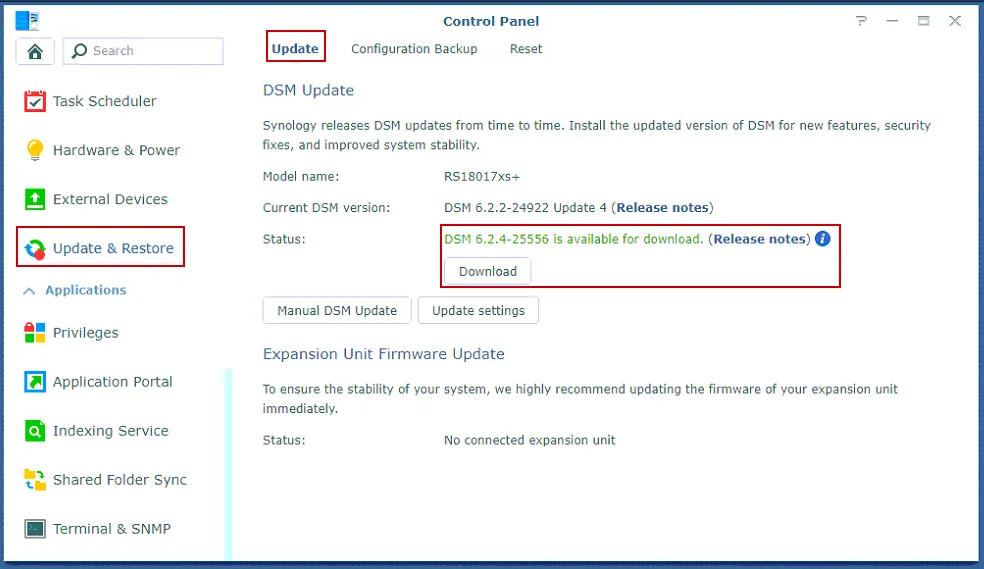
- Once the download is complete, click Update Now.
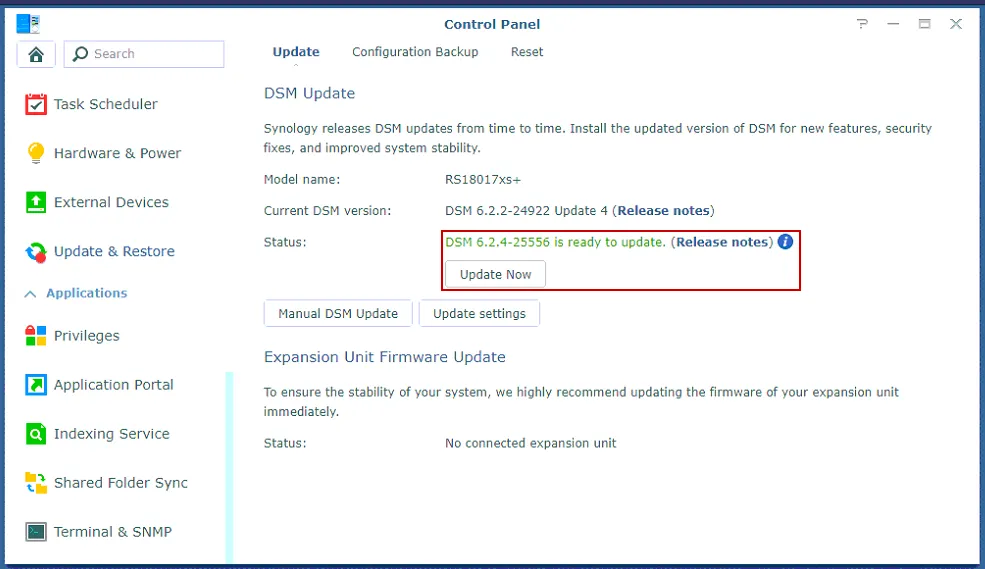
- The system will restart automatically when the update is complete.
References