File Replication Service (FRS) was introduced in Windows 2000 to replicate the System Volume (SYSVOL) directory across several servers. You may see this on a file server as \\server\SYSVOL. FRS is a multi-master, multi-threaded replication engine that isn’t very efficient, since any time a file changes, it replicates the complete file instead of limiting the replication to only the changed blocks.
Distributed File System Replication (DFSR or DFS-R), introduced in Windows 2008 replaces FRS as the default replication engine. DFS-R had many improvements over FRS including the introduction of block-level replication using Remote Differential Compression (RDC).
On the Domain Controller, open command admin and run command: dfsrmig /getmigrationstate
If it says “eliminated”
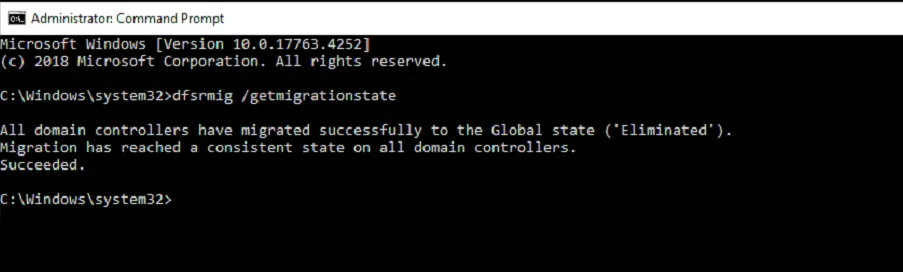
The DC is on DFSR.
Reference: https://learn.microsoft.com/en-us/windows-server/administration/windows-commands/dfsrmig