GSuite Integration with an IDP (Identify Provider) like OneLogin is dependant on the protocol SCIM. SCIM stands for System for Cross-domain Identity Management. This protocol allows for the automated provisioning/de-provisioning of services within a service, GSuite, for example from the IDP. If the connection to GSuite ever gets disrupted, there is the potential that the SCIM integration can get disconnected. To correct this in OneLogin, do the following:
- Login to Onelogin with Admin permissions
- Contact a team member who has admin permissions if you do not.
- Navigate to Applications and then search for G-Suite
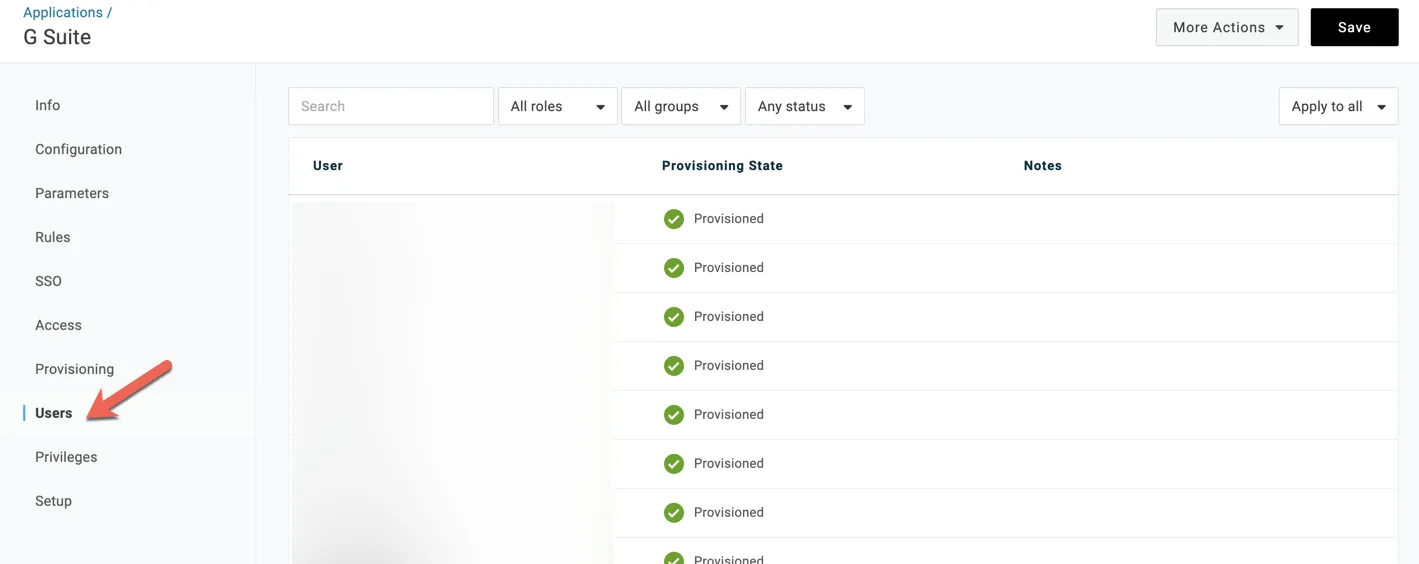
- In the left hand navigation bar, select “Users”
- In the top right corner, select “Apply to All” and then select “Reset”.
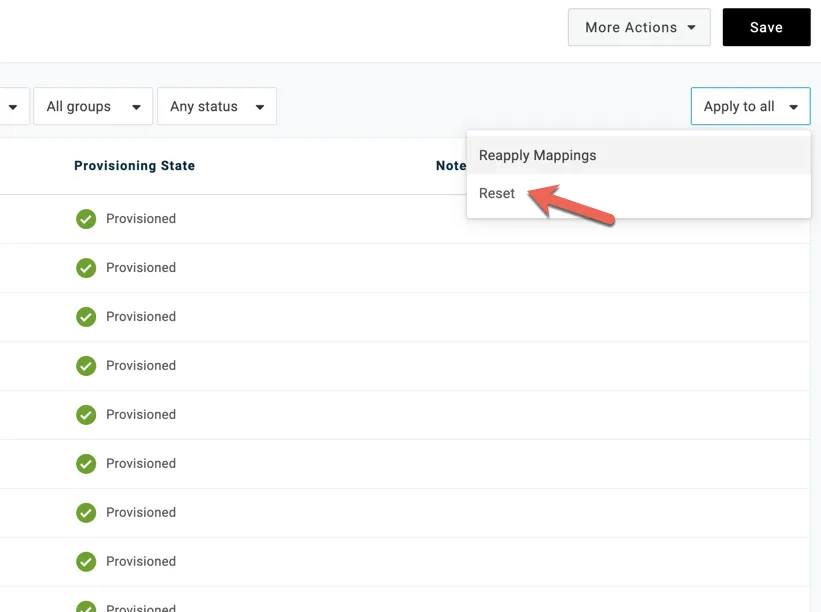
- OneLogin will reach out to GSuite and reset the SCIM integration with GSuite and sync user data to the system.
- If you refresh this page after selecting reset, you will see the green check mark “Provisioned” status change from “Provisioning” to “Provisioned”.
- All users should return to a green check mark provisioned status.
- The experience should be when you launch GSuite from OneLogin, it should automatically log in users to Gmail.