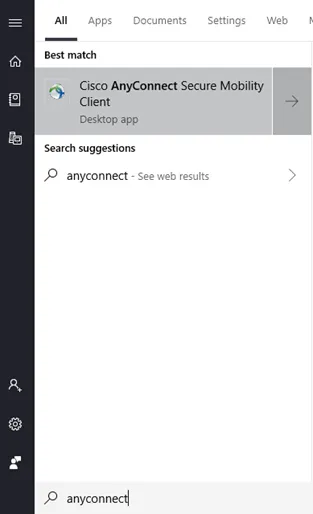
1. Search for the program “Cisco AnyConnect Secure Mobility Client” and click to open the program.
2. When the program opens, you will be prompted to enter an address. The address is anyconnect.sdhumane.org .
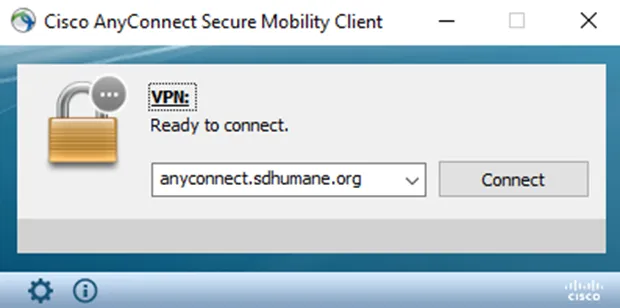
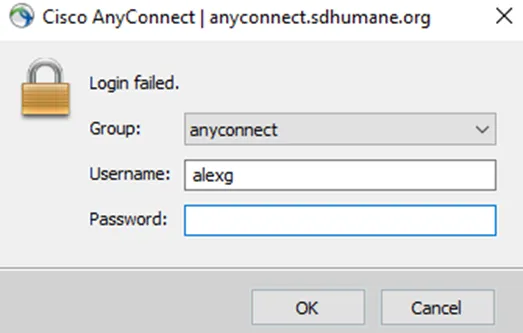
3. Click Connect and you will be prompted to login with a username and password. Username consists of first full name and last name initial per the example below. Your password is the password you use to login to your Windows computer.
4. Once logged in, the window will disappear and you will see the following success message on the bottom right hand of your screen.

Congratulations, you may now access your network drives and files.