CIT – Process – Handling scheduled tickets and moving the scheduled time
Section titled “CIT – Process – Handling scheduled tickets and moving the scheduled time”The object of this article is to ensure we are all aware and using the process on handling tickets with past scheduled time.
In the Workspaces > Service Desk Dashboards > SD Summary, you will see “Open Work Scheduled Before Today” gauge
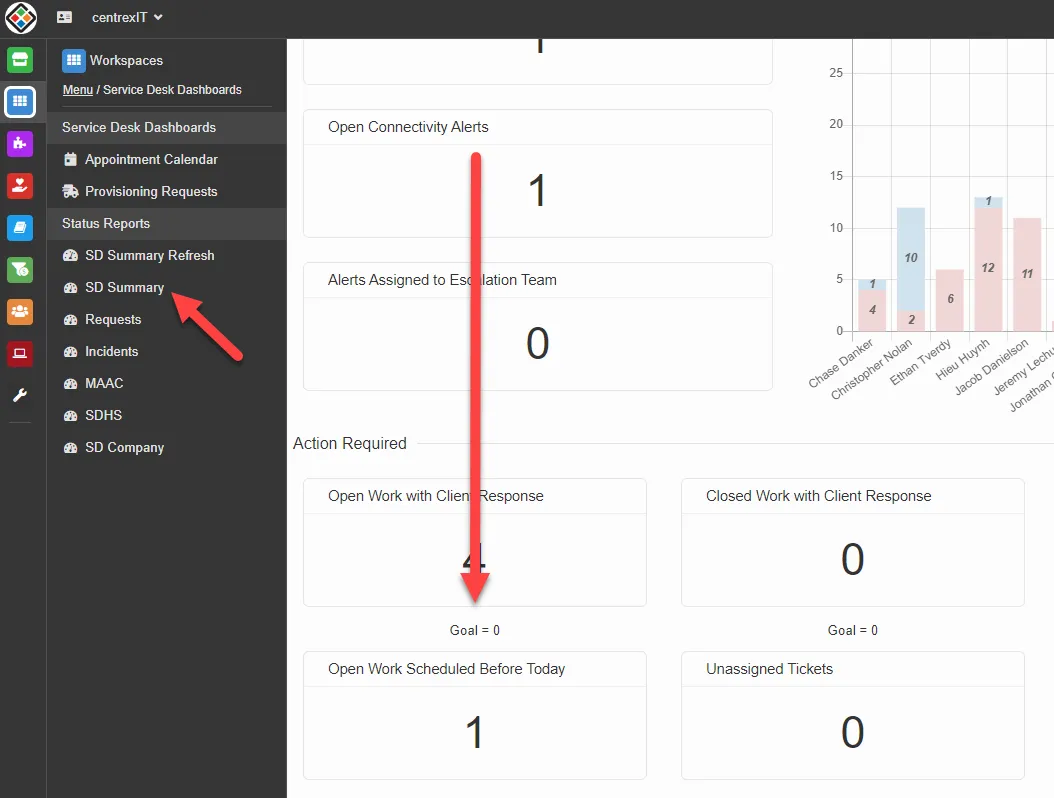 This gives you a general overview on tickets where the scheduled appointment time has passed and the status of the ticket has not been updated from the “scheduled” status.
Each tech can see this on their individual dashboards as well.
It is indicated with a little red square in front of the ticket number.
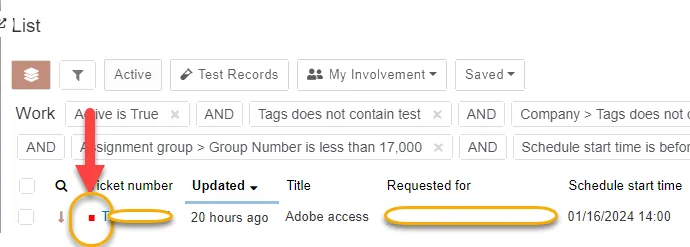
You should go into the ticket and review why it is past scheduled. If we have contacted the end user at that time and they were not available, we can go into the ticket and cancel the appointment and change the appointment to the newly scheduled time. If the user was contacted and issue was worked but ticket is still not resolved, the status needs to be updated appropriately.
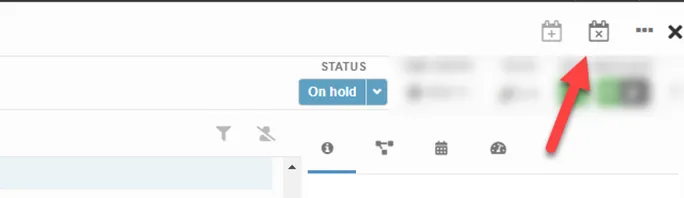
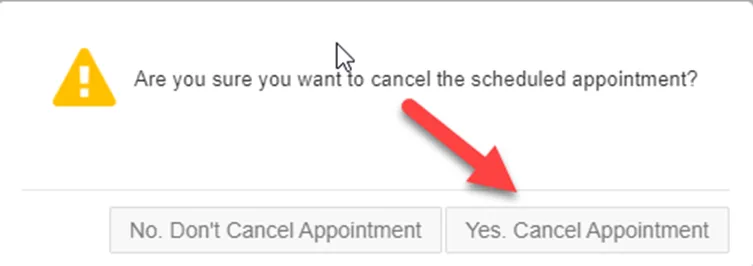
NOTE: This is required, even if you are just scheduling a time for yourself to do a follow up with them